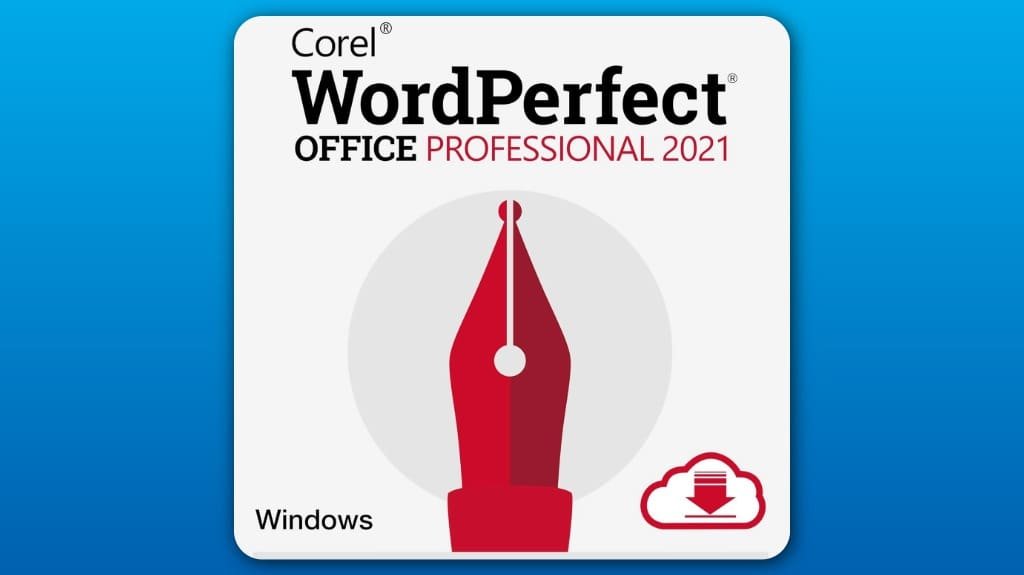
Corel WordPerfect Office Professional 2021 is a robust office suite that excels in versatility and user-friendliness. It offers advanced word processing and spreadsheet capabilities, making it suitable for legal professionals with built-in tools for document automation. You'll appreciate its support for over 60 file formats, ensuring seamless sharing and editing. Plus, the extensive dictionary aids in accurate writing. Discover how its database management and legal tools streamline your workflow, enhancing productivity further as you explore more features.
Some Key Points
- Corel WordPerfect Office Professional 2021 is a versatile office suite with an intuitive interface that enhances productivity across various tasks.
- It supports over 60 file formats, ensuring seamless document sharing and robust editing capabilities for users.
- The suite includes specialized legal tools, such as document automation and templates tailored for legal professionals, streamlining their workflow.
- Comprehensive dictionary resources, including the Oxford Concise Dictionary, improve vocabulary and document accuracy for enhanced writing quality.
- Database management features, including the Paradox solution, simplify data handling and organization, allowing users to focus on analysis rather than data entry.
Overview of Corel WordPerfect Office Professional 2021
Corel WordPerfect Office Professional 2021 stands out as a versatile office suite that caters to a wide range of productivity needs. Its user interface is intuitive, making it easy for you to navigate various tools and features efficiently. You'll find a suite of productivity features designed to enhance your workflow, from advanced word processing to robust spreadsheet capabilities. The inclusion of built-in legal tools further sets it apart, addressing the specific requirements of legal professionals. With strong database management options and eBook publishing capabilities, this office suite effectively supports diverse tasks, ensuring you remain productive in any environment.
File Compatibility and Support
When it comes to file compatibility, Corel WordPerfect Office Professional 2021 excels by supporting over 60 different formats. This extensive range includes popular file formats like Microsoft Word, Excel, and PowerPoint, which makes your document sharing seamless. You’ll appreciate its robust editing capabilities, allowing you to easily open and modify various files without hassle. Whether you're collaborating with colleagues or updating your documents, WordPerfect guarantees that your work remains accessible and editable across different platforms. In a world where file compatibility is essential, Corel WordPerfect Office Professional 2021 stands out, making it a reliable choice for users needing versatile editing options.
Legal Tools for Professionals
For legal professionals, the right tools can markedly streamline workflow and enhance productivity. Corel WordPerfect Office Professional 2021 offers robust legal document automation features that simplify the creation and formatting of vital legal documents. You'll find built-in templates for pleading papers, along with tools for generating indexes and tables of contents. These functionalities not only save time but also guarantee accuracy. Additionally, the suite enhances courtroom presentations with professional formatting options, making your documents visually impactful. With its extensive legal tools, you can focus on your cases instead of getting bogged down in administrative tasks, ensuring you stay effective and efficient.
Comprehensive Dictionary Resource
A thorough dictionary resource can greatly enhance your writing and editing process. Corel WordPerfect Office Professional 2021 includes the Oxford Concise Dictionary, packed with valuable dictionary features like tens of thousands of definitions, phrases, and phonetic spellings. This all-encompassing tool not only expands your vocabulary but also guarantees accuracy in your documents. The user benefits are clear: you’ll save time while minimizing errors and improving overall clarity. With access to scientific and specialist words, your writing can cater to various audiences, whether they’re academic or professional. Embracing this resource will certainly elevate your work to the next level.
Database Management Features
Building on the robust resources available in Corel WordPerfect Office Professional 2021, the database management features stand out as a powerful asset for users needing to handle data efficiently. The Paradox database solution simplifies data tracking and enhances information organization through its intuitive interface. You'll appreciate how it allows you to create searchable tables, making data retrieval quick and effective. With customizable fields, you can tailor your database to fit specific needs, ensuring your information is systematically compiled. Whether you’re managing contacts or project details, these features streamline your workflow, enabling you to focus on analysis rather than data entry.
Some Questions Answered
Is Corel Wordperfect Office Professional 2021 Available for Mac Users?
No, Corel WordPerfect Office Professional 2021 isn’t available for Mac users. While it offers impressive WordPerfect features like extensive file compatibility and legal tools, it’s primarily designed for Windows. If you’re a Mac user looking for similar functionality, consider alternatives that support macOS natively. You might also explore virtualization options, but they can complicate your experience. Ultimately, sticking with software tailored for Mac could enhance your productivity and efficiency.
What Are the System Requirements for Installing Wordperfect Office Professional 2021?
To install WordPerfect Office Professional 2021, you'll need a compatible Windows operating system, such as Windows 10 or later. Your system should have at least 2GB of RAM, 1.5GB of available disk space, and a minimum screen resolution of 1280 x 800. Verify your computer meets these system requirements to guarantee a smooth installation process. Additionally, an internet connection is recommended for activation and updates, enhancing your overall experience with the software.
Can I Try Wordperfect Office Professional 2021 Before Purchasing?
Yes, you can try WordPerfect Office Professional 2021 before purchasing it through a free trial. This allows you to evaluate the software’s features and functionality firsthand, ensuring it meets your needs. During the trial period, you’ll have access to all the tools and services, giving you an extensive experience. Make the most of this opportunity to assess compatibility with your workflow and determine if it’s the right choice for you.
Does Corel Offer Customer Support for Wordperfect Office Professional 2021?
Yes, Corel offers customer support for WordPerfect Office Professional 2021. You can access various customer service options, including online resources, user forums, and direct technical support assistance. If you encounter issues or have questions, you'll find help through their website, where you can submit a ticket or chat with representatives. This guarantees you get the guidance you need to effectively use the software and resolve any potential problems.
Are There Any Online Training Resources for Learning Wordperfect Office Professional 2021?
Yes, you can find various online training resources for learning WordPerfect Office Professional 2021. Look for WordPerfect tutorials on platforms like YouTube or dedicated training websites. These tutorials often cover everything from basic functions to advanced features. Additionally, Corel's official website may offer helpful guides and documentation. Utilizing these online training resources will enhance your skills and help you navigate the software more effectively.