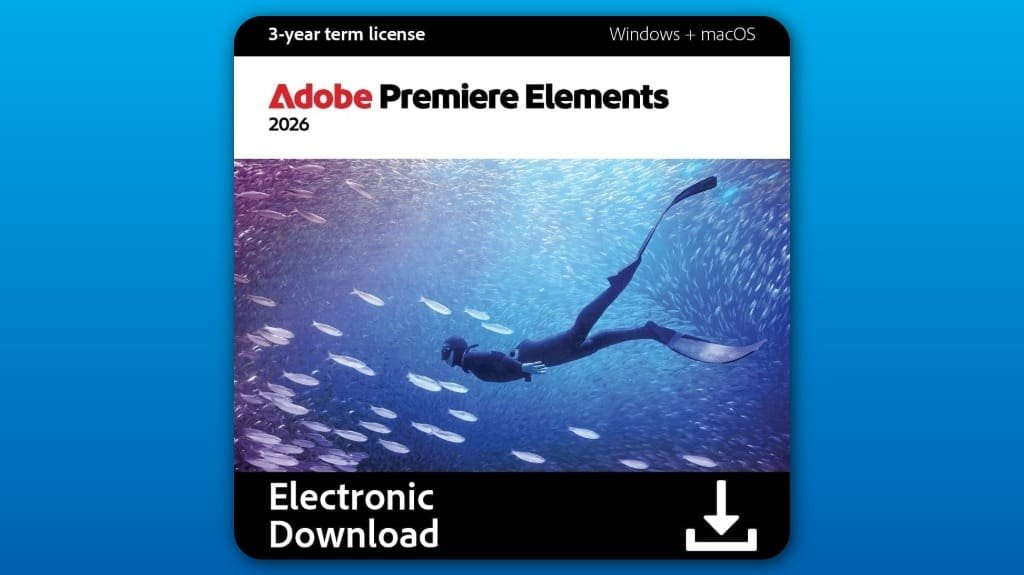
Adobe Premiere Elements 2026 offers a seamless video editing experience with its intuitive interface and AI-driven tools for quick trims and adjustments. You'll enjoy three editing modes—Quick, Guided, and Advanced—catering to all skill levels. The color correction features allow for stunning visual enhancements, while robust organization tools make managing your clips effortless. Plus, it supports various formats, including VR videos. Stick around to uncover everything this powerful platform has to offer!
Some Key Points
- Adobe Premiere Elements 2026 features an intuitive user interface, making video editing accessible for users of all skill levels.
- The software offers three editing modes: Quick, Guided, and Advanced, catering to both beginners and experienced editors.
- AI-driven tools enable fast video trimming and clip adjustments, optimizing performance for smooth playback and rendering.
- Robust organization features, including video tagging and cloud integration, streamline workflow and enhance project management.
- Enhanced color correction tools and effects allow users to achieve stunning visuals with easy adjustments and preset options.
Key Features of Adobe Premiere Elements 2026
When you plunge into Adobe Premiere Elements 2026, you'll discover a host of key features designed to streamline your video editing experience. The user interface is intuitive, making navigation seamless and enjoyable. You'll appreciate the performance optimization that guarantees fast rendering and smooth playback, even with high-resolution files. With AI-driven tools, you can quickly trim and adjust clips, enhancing efficiency considerably. The software also supports various formats, including 360° and VR videos, allowing for versatile editing options. Overall, these features combine to create a powerful yet user-friendly platform that elevates your video editing projects effortlessly.
Editing Modes and Tools
Adobe Premiere Elements 2026 offers three distinct editing modes—Quick, Guided, and Advanced—each tailored to suit your editing skill level and project needs. In Quick mode, you can leverage AI automation for fast video trimming, enabling you to cut down footage efficiently. Guided mode provides step-by-step instructions, making it perfect for beginners. If you're more experienced, Advanced mode gives you full control over detailed edits. You’ll find various tools for adding transitions, effects, and music, ensuring your videos meet your creative vision. No matter your expertise, these modes make video editing accessible and enjoyable.
Color Correction and Effects
After mastering the editing modes, you’ll want to enhance your videos further with color correction and effects. Premiere Elements 2026 offers intuitive color grading tools that allow you to adjust hues, saturation, and contrast easily. With a variety of presets, you can achieve stunning visual enhancements that elevate your project’s overall look. Whether you’re correcting the brightness of a scene or applying a cinematic filter, these features streamline the process. You’ll find that even subtle adjustments can make a significant difference in your video’s impact. Immerse yourself in the color tools and transform your footage into something truly enchanting.
Organization and Sharing Capabilities
As you plunge into video editing with Premiere Elements 2026, you'll appreciate its robust organization and sharing capabilities that streamline your workflow. The software offers seamless cloud integration, allowing quick imports and automatic backups. With features like video tagging and face recognition, you can effortlessly sort and locate your clips. The automatic curation helps you stay organized, so you can focus on creativity rather than chaos. When it’s time to share, you can create collages, slideshows, or Highlight Reels, making it easy to showcase your work across various platforms. Premiere Elements truly simplifies the organization and sharing process for every user.
System Requirements and Compatibility
To guarantee a smooth video editing experience with Premiere Elements 2026, it's essential to meet the system requirements for peak performance. This software runs on Windows 11 and macOS, ensuring compatibility across major platforms. Make sure your system has sufficient RAM and a capable processor to enhance the user interface and maximize performance optimization. A dedicated graphics card can also contribute to smoother playback and rendering. By meeting these requirements, you’ll enjoy a seamless editing process, allowing you to focus on creativity rather than technical issues. Upgrade your hardware if necessary to fully leverage the software's powerful features.
Some Questions Answered
Can I Use Adobe Premiere Elements 2026 Offline?
Yes, you can use Adobe Premiere Elements 2026 for offline editing. Once you've installed and activated the software, you don’t need an internet connection to edit your videos. However, be aware of some software limitations, like accessing online features or updates, which require internet access. Overall, you’ll enjoy a robust editing experience without being tied to the web, allowing you to work on your projects anytime, anywhere.
Is There a Trial Version Available for Adobe Premiere Elements 2026?
Yes, there’s a trial version available for Adobe Premiere Elements 2026. You can explore various trial features that let you test its editing capabilities. However, keep in mind that the trial has software limitations, such as a time restriction and watermarked exports. This allows you to evaluate its functionality before committing to a purchase. Take advantage of the trial to see if it meets your video editing needs!
What Payment Options Are Accepted for Purchasing the Software?
You can purchase the software using various payment methods, including credit cards, PayPal, and sometimes direct bank transfers. The pricing for the software typically reflects its features and capabilities, so check the official site for current rates. Make sure you’re aware of any promotional offers that might be available. Once you've chosen your preferred payment method, you can easily proceed with the purchase to start enjoying your video editing experience.
How Do I Activate My Adobe Premiere Elements 2026 License?
To activate your Adobe Premiere Elements 2026 license, start the software and select the option for license activation. You'll need to enter the serial number provided with your purchase during the software registration process. Once entered, follow the on-screen prompts to complete activation. Make sure you're connected to the internet for a smooth registration experience. After activating, you can fully enjoy all the features this powerful video editing software has to offer.
Is Customer Support Available for Adobe Premiere Elements 2026 Users?
Yes, customer support is available for Adobe Premiere Elements 2026 users. You can access various support resources, including online guides, forums, and tutorials, to help you navigate issues. If you need direct assistance, you can reach out to customer service via chat or email. They’re ready to assist with any questions or problems you might encounter while using the software, ensuring you have a smooth editing experience.