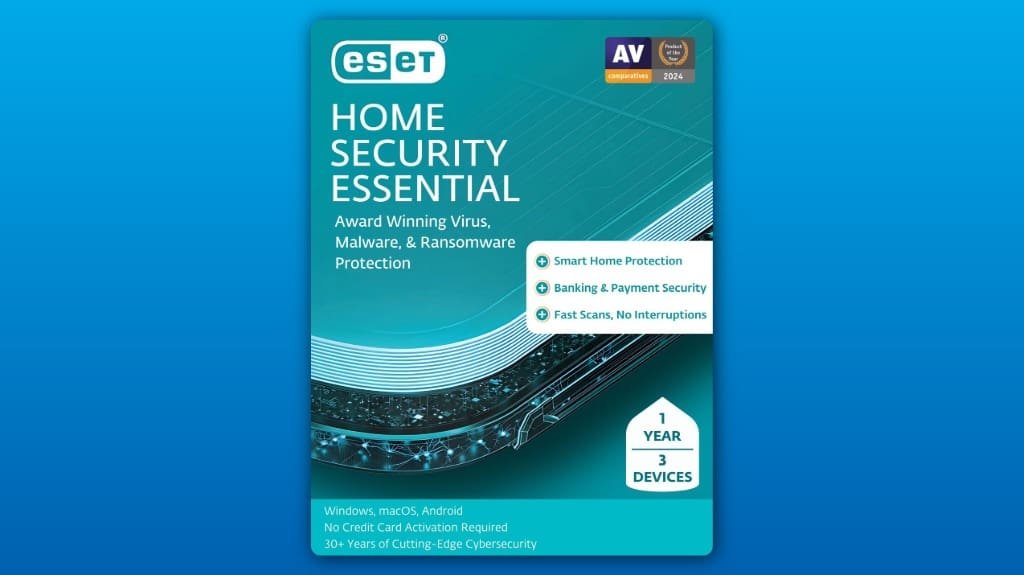
You’ll get a one‑year, three‑device license that protects Windows, Mac, and Android with real‑time antivirus, anti‑ransomware behavior blocking, a secure banking browser, webcam protection, and a network/IoT inspector. It’s light on system resources, offers quick scans and Gamer Mode, and you’ll manage devices via the ESET HOME portal. Expect some telemetry and cloud checks, so tweak privacy settings if needed, and consider Bitdefender or Windows Defender if you need different tradeoffs — more detail follows.
Some Key Takeaways
- One-year, three-device license (Windows, Mac, Android) with antivirus, anti-ransomware, network inspector, and IoT scanning.
- Real-time monitoring, behavioral analysis, and quarantine provide strong protection against known and unknown malware.
- Fast scans, low system impact, and Gamer Mode deliver good performance without major slowdowns.
- ESET HOME portal enables easy onboarding, remote device management, and parental controls for site blocking and time limits.
- Mid-range pricing suited for home users wanting lightweight, no-frills protection; consider alternatives for advanced enterprise features.
What ESET Home Security Essential 2025 Actually Includes
Think of ESET Home Security Essential 2025 as a compact toolbox that protects three of your devices for a year — Windows, Mac, or Android — and comes as a digital download you can install right away. You get antivirus, anti‑ransomware, network inspector for router checks, and IoT scanning to spot weak smart devices. You’ll manage licenses and renewals through subscription management in the ESET HOME portal, where you add or remove devices and check expiration dates. Parental controls let you block sites, set time limits, and review browsing activity. Install, sign in, assign devices, and tweak controls to fit your home.
How It Protects You: Key Security Features Explained
Protecting your devices starts with practical, visible defenses you can control, and ESET puts those tools front and center so you’ll know what’s running and why. You get real time monitoring that shows suspicious activity as it happens, so you’ll see blocked threats and can quarantine files immediately. Behavioral analysis watches program actions, not just signatures, catching ransomware patterns and unknown malware before they encrypt files. Enable webcam protection, use the secured browser for banking, and run Network Inspector scans after adding new smart devices. Check alerts regularly and update definitions; respond to quarantines promptly to stay safe. Consider pairing device protection with biometric USB drives for secure physical access and encrypted backups.
Performance, Usability, and Smart Home Protection in Real Use
You’ve seen how ESET watches for threats and handles quarantines; now let’s look at how it runs day to day so you know what to expect. You’ll notice scans are quick and usually don’t slow you down, so gaming or working stays smooth, and Gamer Mode kicks in when needed. The ESET HOME portal makes user onboarding straightforward, guiding you through device setup and remote management with clear prompts. Network Inspector maps devices and scans smart gadgets, helping you patch weak IoT points. On phones, check battery life after installs; if drain appears, toggle background scans or adjust schedules. For small business owners and homeowners, integrating with smart home devices can improve overall security posture.
Pros, Cons, and Who Should Buy ESET Essential
If you want solid, low‑hassle protection without digging through complex settings, ESET Home Security Essential is a good fit: it gives you fast scans, gamer mode, and a clean interface that keeps background impact minimal, so your work and play stay smooth. You’ll like the clear controls and smart home scans, but weigh privacy tradeoffs — some telemetry and cloud checks help detection. Check user reviews for real-world reliability and note subscription renewal timing to avoid surprises. Buy it if you want easy, lightweight defense for a few devices; avoid it if you need enterprise suitability or advanced admin controls. We suggest considering how digital security products fit into the security of computer setups for small businesses and homeowners, including compatibility with smart power strips.
Price, Alternatives, and Final Verdict
When you weigh cost against features, ESET Home Security Essential usually lands as a sensible, mid‑range choice: a one‑year, three‑device digital license for the 2025 edition gives you antivirus, ransomware shields, safe banking, and basic smart‑home scans without paying for overkill extras. You’ll find flexible subscription tiers that add devices or extend years if you need them, and renewal discounts often reduce first‑year sticker shock. For a straightforward competitor comparison, try Bitdefender or Kaspersky for broader feature sets, or Windows Defender for a free baseline. Verdict: buy if you want robust protection without unnecessary bells and whistles. You may also consider secure USB drives that complement home security setups for backing up encrypted data.
Some Questions Answered
Is Customer Support Available 24/7 for Technical Help?
Yes, you can get 24/7 availability for technical help through ESET’s support channels, but options vary by region and plan. You’ll often find Live chat for quick fixes, phone support during business hours, and ticketed email with tiered response priorities for complex issues. Multilingual support is common, so start with Live chat for fast troubleshooting, escalate to a higher tier if needed, and save your ticket number for follow-ups.
Can I Transfer the License Between Devices or Users?
Yes, you can transfer the license between devices or users, ESET supports license portability and user migration. Deactivate the license on the old device through the ESET HOME portal or app, then log in on the new device and activate the license there. If you’re moving to another user, change account ownership or share credentials securely, then revoke access when done. Contact support if you hit limits or need assisted migration.
Does It Include Parental Controls or Content Filtering?
No, it doesn’t include full family controls, but it offers basic web filtering through browser security to block unsafe and phishing sites. You’ll need ESET’s higher-tier plan or a separate parental‑controls app for time limits, app blocking, or age‑based filters. If you want quick protection, enable browser security and network inspector, then add a dedicated family controls app for content filtering, screen time rules, and per‑child profiles.
Are Regular Offline Installers Provided for Updates?
Yes, ESET provides offline installers and update archives you can download, so you can update machines without direct internet access. Grab the offline installer from ESET’s support site, transfer it via USB, and run the setup. For signature updates, download update archives (mirror or .zip files), place them in the program’s update folder, and trigger a manual update in the app. That keeps systems current when connectivity is limited.
How Does Renewal Pricing Compare to the First-Year Cost?
Renewal prices are usually higher than your first-year cost, but you can often get renewal discounts if you shop promotions or contact support for loyalty offers. Check price transparency on the vendor page before buying, note the renewal rate and renewal date, and set a reminder to compare deals 30 days before expiry. If renewal seems steep, switch to annual sales or buy a multi‑year plan to lower long‑term cost.