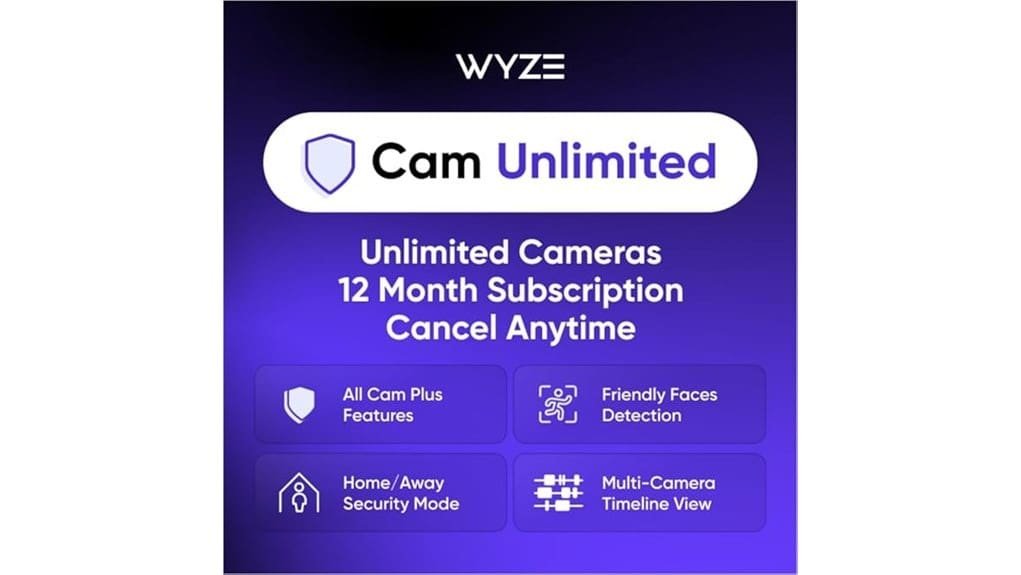
You’ll get unlimited cameras, full AI alerts (people, pets, packages, vehicles, glass break), and 24/7 cloud upload with a 14‑day rolling history, so it’s ideal if you want low‑cost, reliable detection for a home, rental, or small business. The AI blends on‑device and cloud models to cut false alarms, and multi‑cam timelines plus face grouping help track movement across rooms. Activate through Amazon; cancel anytime. Keep backups for long‑term clips, and learn more about setup and limits.
Some Key Takeaways
- Covers unlimited Wyze cameras on a 12-month subscription with full AI detection and 24/7 cloud recording.
- AI detects people, pets, packages, vehicles, and glass break using combined on-device and cloud behavioral analysis.
- 14-day rolling cloud retention for continuous footage; export downloads before expiration for longer storage.
- Adjustable sensitivity, anomaly scoring, face grouping, and family sharing reduce false alerts and streamline responses.
- Activation through Amazon, cancel anytime; ideal for renters, students, small businesses, and elderly caregivers.
Who Should Choose Wyze Cam Unlimited and What the Plan Includes
If you want broad, no‑fuss home monitoring and you’ve got multiple Wyze cams around the house, the Wyze Cam Unlimited plan makes sense: it covers unlimited cameras on a 12‑month subscription, gives you full AI detection (people, pets, packages, vehicles, glass break) and 24/7 cloud recording with a 14‑day rolling history, so you can stop juggling per‑camera limits and missed events. You’ll like this if you’re a student juggling dorm security, a renter who moves often, a small business owner tracking multiple rooms, or an elderly caregiver keeping tabs remotely. Activate through Amazon, cancel anytime, and share access with family for quick checks. Many small business owners and homeowners choose dedicated indoor cameras for reliable monitoring of interior spaces and valuables, which pairs well with Wyze’s features like indoor camera options.
How Advanced AI Detection Works and Reduces False Alarms
Because the Wyze Cam Unlimited plan pairs your cameras with on‑device and cloud AI, you'll get smarter alerts that cut down on false alarms without extra tinkering from you. The system uses behavioral signatures to recognize typical motion patterns — a pet pacing, a car passing, or a person walking — so it filters routine activity. It combines that with anomaly scoring to flag unusual events, giving higher priority to true threats. You can adjust sensitivity and notification types in the app, watch labeled clips to train the AI, and mute triggers like tree movement, which reduces nuisance alerts fast. This is particularly helpful for small business owners and homeowners looking to improve perimeter monitoring with outdoor security cameras.
Cloud Recording, 24/7 Storage, and Real-World Video Retention Limits
Now that your alerts are smarter, you’ll want to know how long those labeled clips stick around and where they live, since storage impacts what you can review and share. Wyze does 24/7 cloud upload of video, so continuous footage and flagged clips are saved off‑camera for review. Expect a 14‑day rolling retention policy, which means older footage drops off automatically, so export anything you need before it expires. If you need longer, download clips to local storage or archive them elsewhere regularly. Check upload settings and connection quality, since failed uploads can shorten usable retention in practice. For small business owners and homeowners choosing systems, consider how system compatibility affects your long‑term storage and review options.
Multi-Cam Timeline, Friend Faces, Alarms, and Family Sharing Features
When you use Wyze’s multi-cam timeline, friend faces, alarms, and family sharing together, you get a clear, collaborative view of what’s happening at home and can act on events faster. You’ll see synced clips across cameras with multi cam sync, so you can track a path through rooms and confirm details quickly. Enable face grouping to reduce duplicate alerts and label familiar people, which keeps notifications useful. Turn on alarm types like glass break or smoke so everyone shared on the account gets instant alerts. Share access with family, set permissions, and assign who responds to which alert. Consider adding privacy screen filters to prevent shoulder-surfing and keep what’s on your monitor visible only to household members.
Activation, Pricing, Cancellation Policy, and Is It Worth Buying?
Getting started is quick: you activate the Cam Unlimited plan through Amazon.com or the Amazon app, pick the 12-month subscription, and your Wyze cameras get full AI features right away. For activation methods, sign into your Amazon account, find Cam Unlimited, and follow prompts to link Wyze; it’s automated and fast. Pricing centers on the annual rate for unlimited cameras, with affordable subscription tiers if Amazon adds monthly or multi-year options later. You can cancel anytime with no contracts or hidden fees, and family sharing works immediately. Is it worth it? Yes, if you want reliable AI detection and cloud storage. Our store also offers accessories and installation help for smart door locks to complement your Wyze security setup.
Some Questions Answered
Does Wyze Cam Unlimited Work With Third-Party Smart Home Platforms?
Yes, it can, but with limits: you’ll get basic third party integration through Wyze’s official works-with partners and Alexa, Google, and IFTTT support, yet platform compatibility for advanced Cam Unlimited AI features is limited. You can view live streams and trigger automations, but cloud AI events and full feature sets often stay inside the Wyze ecosystem. Test integrations before relying on them, and use Wyze’s app for full functionality.
Can I Export or Download Full-Resolution Videos Locally?
Yes, you can download full-resolution clips, but Wyze limits direct exports from the cloud, so use local backups for complete high bitrate recordings. Insert a microSD card in each camera, enable continuous or event recording in the app, then copy files to your computer via SD removal or FTP/Samba if supported. For cloud clips, use the app’s download option, though bitrate may be reduced compared to local files.
Is There End-To-End Encryption for Live Streams and Saved Clips?
No, Wyze doesn’t offer true end to end or zero knowledge private streaming for live feeds and saved clips, so your recordings aren’t encrypted archiving in a way that only you can decrypt. You should assume Wyze can access cloud video for features like AI detection and customer support. If you need zero‑knowledge protection, use local storage or a camera/vendor that explicitly supports end‑to‑end encryption and private keys you control.
How Many Devices Can Stream Simultaneously on One Account?
You can stream from multiple devices, but Wyze sets practical maximum streams per account depending on the camera and app version, typically around four simultaneous live viewers before performance may degrade. If you need more, use shared family accounts or stagger viewing times to avoid lag, and keep firmware and apps updated. Test your home network, prioritize wired or 5GHz Wi‑Fi for cameras, and contact support for specific account limits.
Are There Any Bandwidth or Data Usage Limits per Camera?
No, there aren’t strict bandwidth caps or data throttling per camera with the plan, but streaming many cameras continuously will raise your upload use and could hit your home ISP limits. You should monitor your router’s usage, set cameras to event-only or lower resolution for routine spots, and schedule 24/7 recording for critical cameras only. If you have a data cap, contact your ISP to avoid overage charges.