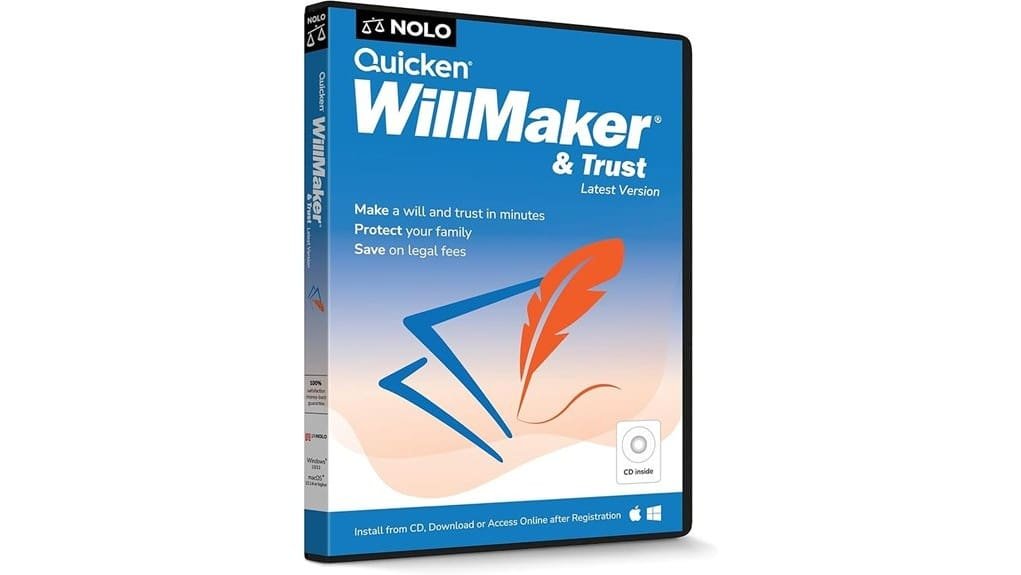
You’ll find Quicken WillMaker & Trust 2026 gives you a precise, cost-effective way to create state-specific wills, trusts, and powers of attorney without repeated attorney fees. It walks you through a guided interview, populates lawyer-drafted templates, and adds practical extras like transfer-on-death deeds, pet provisions, and digital legacy tools. Delivery is flexible and support is responsive, making it well suited to straightforward estates; continue below to see detailed coverage of features, limits, and alternatives.
Some Key Takeaways
- Lawyer-drafted, state-specific wills, trusts, powers of attorney, and health directives included for straightforward estate plans.
- Step-by-step interview and template logic produce customizable, legally tailored documents without repeated attorney fees.
- Includes transfer-on-death deeds, pet provisions, digital legacy templates, and auxiliary survivor forms for comprehensive coverage.
- One-time purchase with downloads or online access offers cost-effective DIY alternative; attorneys recommended for complex estates.
- Customer Care provides unlimited technical support and multiple delivery options; compatibility requirements documented for easy setup.
Quick Verdict: Is Quicken WillMaker & Trust 2026 Worth It?
Although you can hire an attorney for complex estates, Quicken WillMaker & Trust 2026 gives you a precise, cost-effective way to create legally binding, state-specific estate documents quickly; it’s worth it if you have straightforward needs, want control over distribution and appointments, and prefer updating documents yourself without repeated legal fees. You’ll get structured guidance that lets you assess applicability to estate taxes and plan for digital assets without speculative legal costs. If your situation’s routine, you’ll conserve resources, retain control, and iterate documents as law or technology evolves. For innovative users, it’s a practical, efficient solution.
What Core Documents and Legal Forms Are Included
When you run Quicken WillMaker & Trust 2026, you'll get a focused set of lawyer-drafted, state-specific core documents that address the principal elements of an estate plan: last wills and legacy documents, revocable (living) trusts, durable powers of attorney for finances, health care directives, and transfer-on-death deeds. You’ll receive templates that prioritize asset protection and clear beneficiary designations, plus provisions addressing pet provisions and digital legacy management. The package includes auxiliary forms—final arrangements, letters to survivors, and financial templates—that integrate with core documents. Overall, it gives you succinct, legally grounded tools to implement an innovative, defensible estate plan. It can be especially useful for homeowners and small business owners seeking secure storage and organization solutions for their estate documents, including recommendations for safe box options.
How the Interview, Customization, and State-Specific Drafting Work
Having reviewed the core documents you receive, next look at how Quicken WillMaker & Trust 2026 gathers your information and tailors each form to your state law. You proceed through a step-by-step interview that uses guided questions to capture facts, preferences, and contingencies. The system applies checklist customization so optional clauses appear only when relevant. Drafting logic maps your answers to state-specific templates, statutes, and vocabulary, minimizing manual editing. You can spot decisions, change inputs, and regenerate documents immediately. This workflow balances automation and control, letting you innovate while preserving legal precision and compliance. It’s also useful for small business owners and homeowners seeking tailored estate solutions like NAS storage and related planning considerations.
Compatibility, Delivery Options, and Customer Support Details
Because you may prefer different platforms or installation methods, Quicken WillMaker & Trust 2026 supports multiple delivery and access options and clear system requirements to guarantee compatibility across environments. You’ll find download options for Windows and Mac, legacy CD installation where available, and online access for browser-based drafting. The documented system requirements (Windows 10/11, macOS 10.14+) let you verify environment readiness before purchase. If you encounter issues, technical support is reachable via Customer Care, offering unlimited assistance by phone or email. This combination of flexible delivery, transparent requirements, and responsive support streamlines adoption and reduces implementation risk. Many small business and homeowner customers also value integrations with smart speaker solutions for hands-free access and reminders.
Price, Who It’s Best For, and Alternatives to Consider
Although individual budgets and legal needs vary, Quicken WillMaker & Trust 2026 positions itself as a cost-effective option for people who want all-inclusive, state-specific estate documents without hiring an attorney, offering a one-time purchase model (with options for download, CD where available, or online access) rather than ongoing subscription fees. You’ll find transparent pricing tiers aimed at single users and families; the one-time fee is competitive against hourly attorney rates. It’s best for tech-savvy DIY planners and small estates within typical user demographics. Consider attorney services for complex estates and alternative software for subscription-based collaboration or continuous updates.
Some Questions Answered
Can I Share My Documents With Multiple Family Members Securely?
Yes — you can share documents securely with multiple family members using encrypted sharing and defined access tiers. You’ll assign precise permissions so some people can view only while others can edit or download. The system logs activity and uses state-specific, lawyer-drafted forms to maintain integrity. You’ll still control updates and revoke access anytime, preserving confidentiality and ensuring innovative, audit-ready distribution without needing to involve outside counsel.
Does the Software Support Blended-Family or Complex Inheritance Scenarios?
Yes — you can handle blended-family and complex inheritance scenarios. You’ll specify stepchildren inclusion, create blended trusts, and tailor contingencies through the interview-driven forms. You’ll assign distinct trust provisions, powers of appointment, and contingent beneficiaries to reflect blended-family dynamics. You’ll also draft guardianship, trustee succession, and transfer-on-death instructions to prevent disputes. You’ll find the state-specific, lawyer-drafted templates let you model innovative, precise solutions for complex estates.
Are Updates for Law Changes Included After Purchase?
Yes — you’ll get subscription updates and legislative alerts after purchase. The product provides ongoing updates to reflect major law changes via its subscription updates and sends legislative alerts so you can revise documents promptly. You’ll receive updated state-specific forms and guidance without re-buying the package, and the support system helps implement changes. This keeps your estate plan current, compliant, and aligned with emerging legal and technological developments.
Can I Import Data From Other Estate Planning Software?
Yes — you can often migrate data from other estate planning software, but success depends on format compatibility. You'll perform data migration by exporting from the old program in a supported format (CSV, XML, or structured text) and importing or mapping fields into the new system. You'll need to validate and manually adjust mapped fields for legal accuracy. For complex records, consider contacting support to streamline the migration and guarantee precise, compliant transfer.
Is There Version Control/History for Document Revisions?
No — the product doesn’t provide a built-in revision history or automated version rollback feature. You’ll need to manually save dated file copies to track changes and restore prior drafts. For disciplined version control, export iterations regularly and keep clear filenames or use a third-party versioning system (cloud storage with file history). That approach gives you practical rollback capability even though the software lacks native revision history tools.