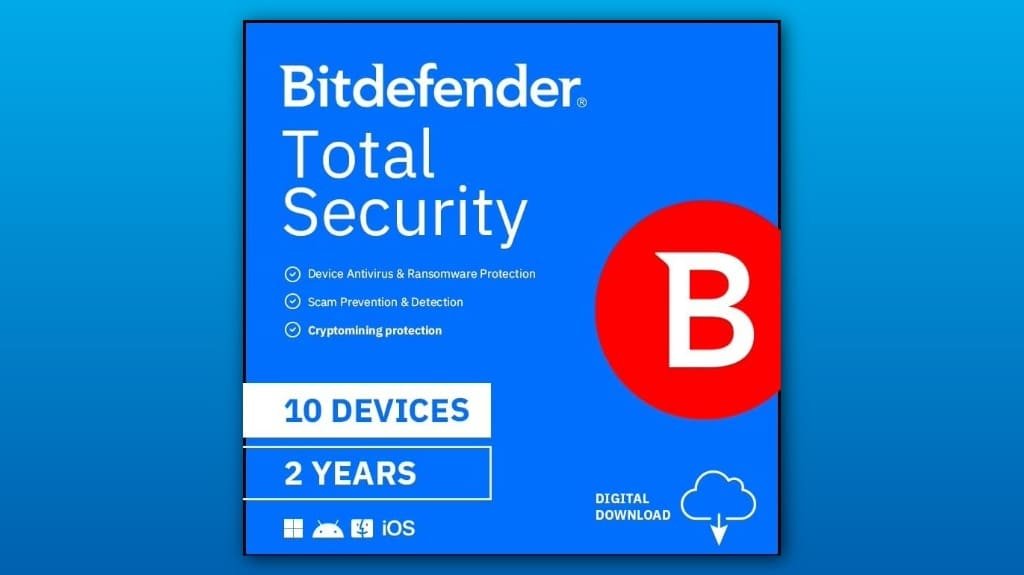
You’ll get strong, low‑maintenance protection for up to ten devices with Bitdefender Total Security, and it’s easy to set up: enter the activation code, install the client, and use your Bitdefender account to manage devices or transfer a license. Real‑time ransomware defense, webcam/microphone privacy controls, firewall and VPN keep you secure with minimal slowdown, and performance modes avoid interruptions during work or gaming. It’s practical for families or power users, and more details follow below.
Some Key Takeaways
- Strong real‑time malware and ransomware defenses with minimal system slowdown across Windows, macOS, Android, and constrained iOS protection.
- Multi‑layer privacy tools: webcam/microphone controls, anti‑tracker, secure banking browser, and VPN for safer browsing.
- Includes ransomware sandboxing, firewall, network isolation, and an easy privacy dashboard for quick permission revocations.
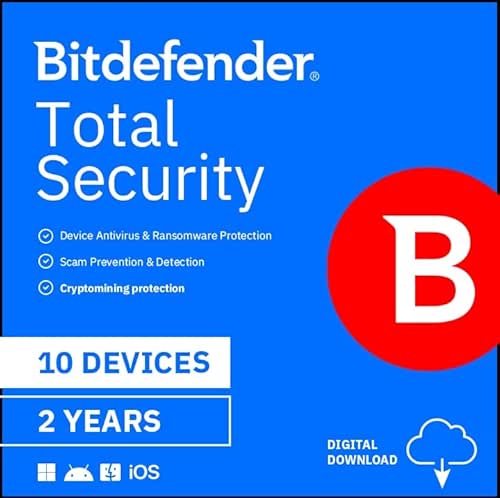
- Covers up to 10 devices (2‑year option available), activated via emailed code and managed through the Bitdefender account portal.
- Best for set‑and‑forget protection with excellent detection and support; less ideal if you need deep customization or integrations.
Is Bitdefender Total Security Worth It? Quick Verdict and Who It’s Best For
Usually, you’ll find Bitdefender Total Security worth the price if you need strong, low‑maintenance protection across many devices, because it bundles high-quality malware detection with practical tools that actually reduce hassle. You’ll like it if you protect up to ten gadgets and want set‑and‑forget defenses, plus performance modes that won’t slow your work. Manage your license easily through clear subscription management in the account portal, and you can add devices or renew fast. If you need quick help, customer support responds through chat and email, so open a ticket or use live chat for step-by-step setup. Consider pairing it with hardware security keys for an extra layer of account protection.
What Protection Features You Actually Get (Ransomware, Privacy, and Network Defenses)
Let’s dig into what Bitdefender actually does to keep your devices safe, starting with the protections you’ll notice right away: real‑time Advanced Threat Defense watches running apps and stops new malware and ransomware before they can encrypt files, while the multi‑layer defenses plug holes that brute‑force or exploit vulnerabilities. You get ransomware sandboxing to run suspicious files safely, and a privacy dashboard that shows webcam, microphone, and app permissions so you can revoke access instantly. Network isolation limits LAN exposure, the anti tracker reduces online profiling, and the firewall and VPN keep your connections private. Consider practical physical security options like case padlocks to protect devices when not in use.
Real‑World Performance: Detection, System Impact, and Usability Across Windows/macOS/Android/iOS
When you run Bitdefender Total Security, you should notice strong malware detection with very little slowdown, so you can keep working or gaming without constant interruptions; real‑time Advanced Threat Defense watches processes and blocks suspicious behavior immediately, while scheduled and on‑demand scans pick up dormant threats, so set weekly full scans and quick daily scans to balance thoroughness with speed. You’ll see good real time responsiveness on Windows and Android, with macOS slightly gentler to background tasks and iOS constrained by system limits. Expect cross platform consistency in interface and alerts, tweak performance profiles, and disable heavy scans during gaming or presentations. These features can help small business owners and homeowners securely destroy sensitive data and manage device hygiene with secure data wiping tools and routines.
Plans, Pricing, and Activation: Devices Covered, 2‑Year License, System Requirements, and Setup
Wondering how much protection you’ll get and what it costs? You can cover up to 10 devices with a 2‑year Bitdefender Total Security subscription, across Windows, macOS, iOS, and Android. Purchase gives you an activation code by email; follow the installer links, enter the code for device activation, and sign into your Bitdefender account to manage devices. System requirements are modest — Windows 7 SP1+ or macOS 10.10+, Android 6+, iOS 13+ — and internet access is required for updates. If you switch machines, use the license transfer option in your account to deactivate one device and activate another quickly. We suggest considering compatible UPS solutions to keep your protected devices running during power interruptions.
Pros, Cons, and Final Recommendation: When to Choose Bitdefender vs Alternatives
If you want strong, all-around protection that’s easy to set up and won’t slow your devices, Bitdefender is a solid choice for most households and small businesses; it combines real-time malware and ransomware defense with privacy tools like webcam and microphone protection, a secure banking browser, and an anti-tracker to keep your online sessions safer. You’ll get excellent detection, smooth performance, and browser extensions that add phishing and anti-tracker layers. Support is responsive, but if you need advanced customization or deep third party integrations, consider alternatives. Check license transfer rules before buying, and contact customer support for migration help. If you’re protecting a small office or mixed home-office environment, also consider solutions tailored for small businesses and IoT devices.
Some Questions Answered
Can I Transfer My License Between Devices During the Subscription Period?
Yes, you can transfer your license between devices during the subscription period by using device activation controls in your Bitdefender account. Log into your account, deactivate the old device, then use the activation code to perform device activation on the new one, and the license transfer completes. If you hit limits (like a 10-device cap), deactivate extra devices first. Keep your activation code and account credentials handy for a fast switch.
Does Bitdefender Include a VPN With Unlimited Data?
No, Bitdefender’s included VPN has data limits unless you upgrade to the paid, unlimited plan; that means VPN limits can restrict streaming, large downloads, and frequent backups. You should check your subscription, and if you need true unlimited use, buy the standalone VPN or bundle upgrade. Consider privacy implications too, since Bitdefender’s VPN may route through their provider; read the provider’s logging and jurisdiction policies before you commit.
How Does Customer Support Handle Malware Removal Services?
They’ll walk you through removal, and you can use live chat or phone support for fast help. Start by describing symptoms, run their cloud scan or share logs when they ask, then follow step‑by‑step removal commands they provide. If infections persist, they’ll request remote access to clean files, quarantine threats, and restore settings. Keep backups ready, note timestamps, and ask for a written summary and prevention tips before ending the session.
Are Automatic Backups or Cloud Storage Included?
No, Bitdefender Total Security doesn’t include built-in automatic backups or cloud sync for your files, so you’ll need a separate solution. Use an OS cloud service like OneDrive or iCloud, or sign up for Google Drive or Dropbox and enable their automatic backup folders. For full-image backups, set up Windows File History or macOS Time Machine to a local drive or network NAS, then enable cloud sync for offsite copies to protect against hardware failure.
Will Bitdefender Slow Gaming Consoles or Smart TVS on My Network?
Not usually — Bitdefender won’t directly slow gaming consoles or smart TVs if device compatibility is fine, but it can add network latency if you enable heavy network filtering or VPN. Keep the router’s firewall rules light, exclude console/TV IPs from deep packet inspection, or use Bitdefender only on PCs and mobiles. Test ping and streaming before and after changes, and disable the VPN when gaming to reclaim responsiveness.