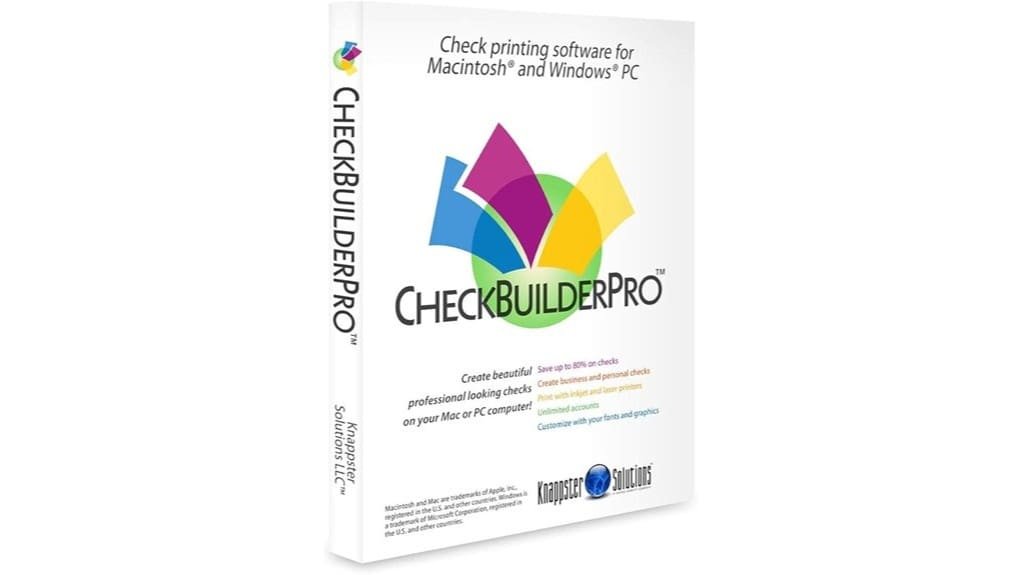
CheckbuilderPro lets you create, customize, and print secure checks on Windows or Mac without subscription or per-check fees, making it a good choice if you want local control and predictable costs. You’ll set up accounts, add logos and signatures, calibrate your printer, and preview drafts before live printing. It supports common image formats, pre-printed stock, and reconciliation tools for simple bookkeeping. It’s not a full accounting suite, but continue for setup tips and feature details.
Some Key Takeaways
- Native Windows and macOS apps let you design and print checks locally without subscription or per-check fees.
- Supports multiple personal or business accounts, payroll checks, and common MICR/thermal printers.
- Strong customization: precise logo placement, font embedding, and reusable templates for branded checks.
- Offline-first workflow improves data control and security but limits mobile automation and cloud syncing.
- Includes reconciliation tools, reporting exports, and a guided printer calibration for accurate live printing.
What CheckbuilderPro Does and Who It’s Best For
Think of CheckbuilderPro as a dedicated check-printing and basic financial-management tool that lets you create and print checks for unlimited personal or business accounts without monthly or per-check fees. You’ll use it to design, print, and track checks, reconcile statements, and generate registers and reports. It’s ideal if you need dependable small business payroll support without cloud complexity, and if you value local control and remote checkwriting from your PC or Mac. You’ll appreciate customization for branding, simple account management, and straightforward licensing. It’s not for full accounting suites, but it’s efficient, secure, and focused on check workflows. It also works well with a variety of thermal receipt supplies and printer setups commonly used by small businesses.
Supported Platforms, Check Types, and File Compatibility
Because CheckbuilderPro runs natively on both Windows and macOS, you can print checks from most modern desktops and laptops without relying on web access. You’ll get clear Windows compatibility (Windows 10+) and Mac support (10.9+), including Sequoia. The app handles unlimited personal and business accounts and prints blank or completed checks; U.S. pre-printed stock works when required. File compatibility covers common image formats for logos and signatures and standard font embedding for consistent output. Mobile integration is limited—there’s no full mobile app—so you’ll sync files manually. Overall, it’s practical, secure, and geared toward innovators needing local control. It’s also a useful solution for small businesses focused on security and convenience when managing physical access and payments.
Step-by-Step Setup and How to Print Your First Checks
Get started by installing CheckbuilderPro, configuring at least one account, and confirming your printer settings before you print a live check. Next, follow guided account setup: enter bank details, choose check type, and save templates. Perform printer calibration using the app’s test grid to align MICR and layout precisely. Create a sample check with placeholder payee and amount, preview in the print dialog, and run a draft print on blank paper. Verify alignment, adjust margins if needed, then load actual stock. When satisfied, print live checks and archive templates for repeat use. Small businesses can also streamline recordkeeping with invoice stamp kits that apply payment details consistently.
Key Features: Customization, Reconciliation, and Reporting
While you’ll appreciate CheckbuilderPro’s straightforward printing tools, its real value comes from deep customization paired with solid reconciliation and reporting—so you can tailor checks, keep books accurate, and generate the records you need without extra services. You’ll control logo placement precisely, adjust background art, and use Font embedding for brand consistency. Reconciliation tools match printed checks to bank statements quickly, flagging discrepancies. Reporting exports registers, transaction summaries, and audit-ready logs. The interface groups customization, reconciliation, and reporting into clear workflows, so you’ll innovate bookkeeping processes, reduce error-prone manual steps, and produce professional, verifiable outputs. These features make it a practical fit for home and small business label and printing workflows.
Pros, Cons, and When to Choose CheckbuilderPro Over Alternatives
If you need robust check printing without ongoing fees, CheckbuilderPro delivers a focused, cost-effective solution that emphasizes customization, reconciliation, and reporting. You’ll get unlimited accounts, logo and signature customization, and solid reconciliation tools with offline backup options that appeal to innovators who value control. Pros: no subscription or per-check fees, strong bank security practices, and clear pricing comparison versus cloud rivals. Cons: less automation than cloud platforms, limited mobile integration, and learning curve for advanced templates. Choose CheckbuilderPro when you want local control, reliable user reviews, and lower long-term costs over feature-rich online alternatives. Our catalog also offers complementary ledger and accounting products for small businesses and homeowners, making it easy to integrate physical record-keeping with your check printing workflow, including accounting ledger options.
Some Questions Answered
Can Checkbuilderpro Integrate With Online Banking APIS for Automatic Transaction Imports?
No — CheckBuilderPro doesn’t natively offer bank API integration for automatic transaction imports. You’ll rely on manual imports or reconciliations instead of real-time transaction syncing. If you need automation, consider middleware that supports security token auth and webhook support to bridge your bank and the app. That adds complexity but enables continuous syncing; evaluate vendor APIs, encryption standards, and error handling before implementing.
Does Checkbuilderpro Support Multi-User Permissions and Audit Trails?
No — it doesn’t offer built-in role based permissions or formal audit logging. You can manage multiple accounts and print checks, but user-level access controls and tamper-evident audit trails aren’t provided. If you need granular role-based permissions or extensive audit logging for regulatory or team workflows, you’ll want to pair the software with external user-management tools or seek a payments platform that natively supports those security features.
Are There Limits on the Number of Accounts or Checks I Can Create?
No — you won’t hit account limits: the software lets you create unlimited accounts and you can generate as many checks as you need. You’ll evaluate check templates quickly, customizing logos, fonts, and signature graphics without per-check fees. You can also use pre-printed checks for U.S. banks. This flexible, subscription-free model supports innovation in workflow, letting you scale accounts and templates without administrative or cost barriers.
Can I Print Micr-Encoded Checks That Meet Bank Encoding Standards?
Yes — you can print MICR-encoded checks that meet bank encoding standards when you follow MICR compliance guidelines and perform proper printer calibration. You’ll evaluate font, toner and alignment; calibrate the printer to guarantee magnetic ink density and precise placement. You’ll test samples with your bank before full use. This approach minimizes rejections and supports innovative, reliable check production without subscriptions or per-check fees.
Is Customer Support Available for Installation or Troubleshooting?
Yes — you get help for installation and troubleshooting. You’ll find phone support for direct, real-time assistance and video tutorials for step-by-step setup and advanced customization. You’ll evaluate responses quickly: phone support handles urgent issues; video tutorials guide you through features and MICR setup. You’ll feel supported without subscriptions or per-check fees, and you’ll innovate confidently knowing resources exist to resolve compatibility, printing, and configuration challenges.