As you prepare for the new year, choosing the right bookkeeping software can set you up for smoother finances, faster close cycles, and fewer surprises at tax time. This guide helps you focus on what matters so you can pick a tool that fits your workflows, team size, and budget.
By weighing ease of use, reporting, support and cost, you can save time and reduce errors and get back to running your business with more confidence.

Sage 50 Premium Accounting 2024
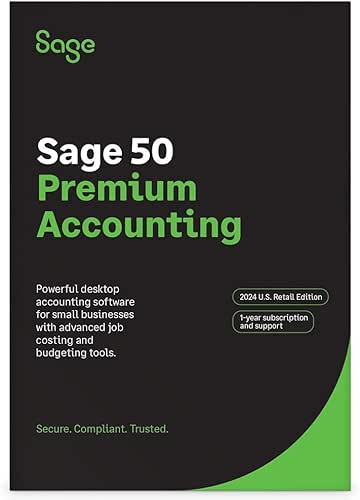
Sage 50 Premium Accounting is a powerful desktop subscription accounting software with advanced budgeting tools for 1 user. Track cash flow, manage inventory, and customize reports.
If you handle your own books, Sage 50 Premium Accounting 2024 feels like a feature-rich desktop bookkeeping software that keeps the heavy lifting on your computer. You can set up a chart of accounts that matches how you run things, invoice customers, pay bills, and dig into job costing when you want to see which projects actually make money. Day-to-day it helps with cash flow, inventory tracking and routine reports; for special occasions like year-end close or preparing for a loan application, the advanced budgeting and audit trail tools give you more confidence.
If you prefer a desktop workflow and like having detailed controls, this is a solid option to consider.
What People Say
Customers often praise the depth of features like job costing, inventory tracking and customizable reports, saying those tools help them run projects and budgets more accurately. People also note reliable audit trails and the desktop control as positives.
On the flip side, a handful of users report activation, import or loading hiccups, especially when migrating data or installing the 2024 release.
Long-Term Savings
Over time, tighter job costing and better budgeting reduce guesswork and can cut wasteful spending by highlighting unprofitable jobs. Fewer reporting errors and clearer audit trails can also save you time and the cost of manual reconciliations.
Situational Benefits
| Situation | How It Helps |
|---|---|
| Managing Project Work | Job costing by phase and cost type helps you see which parts of a project are profitable so you can adjust pricing or resources. |
| Tracking Inventory | Inventory tracking ensures you know stock levels and reduces surprises when you need parts or supplies for a job. |
| Preparing Year-End Reports | Customizable reports and audit trails make it easier to compile accurate financials and show a clear transaction history. |
| Daily Bookkeeping | Invoicing, bill payments and routine reconciliations are centralized so you spend less time on admin and more time on running your business. |
Ease Of Use
| Feature | Ease Level |
|---|---|
| Setup & Chart of Accounts | Moderate |
| Invoicing & Billing | Easy |
| Reporting & Budgeting | Moderate |
| Job Costing | Advanced |
Integrations
| Software | Integration Quality |
|---|---|
| Microsoft Excel | Good |
| Bank Feeds | Moderate |
| Payroll Services | Limited |
| Third-Party Add-Ons | Varies by vendor |
Security
| Feature | Protection Level |
|---|---|
| Audit Trails | High |
| User Permissions (1-User Focus) | Basic |
| Backup Options | Moderate |
| Support via Business Care | Supportive |
Reports & Analytics
Customizable reports, advanced budgeting and job profitability tools give you actionable numbers. Use these reports for cash flow checks, project reviews and preparing financial statements.
Key Benefits
- Full-featured bookkeeping software for detailed accounting
- Job costing and inventory tracking to monitor profitability
- Customizable reports and advanced budgeting tools
- Audit trails and business-care support for troubleshooting
- Desktop focus gives you granular control over data
Sage 50 Pro Accounting 2024
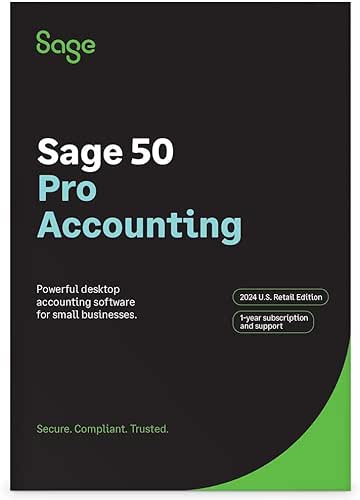
Desktop subscription accounting software for small businesses that handles cash flow, invoicing and inventory. Includes a one-year Sage Business Care plan and builds on Peachtree's legacy.
If you handle the books yourself, Sage 50 Pro Accounting 2024 gives you a desktop-first bookkeeping software that stays on your PC and keeps things organized. You can set up a chart of accounts that matches how you run the business, send invoices, pay bills and track inventory without jumping between a bunch of tools.
On a normal day it helps you check cash flow and keep invoicing tidy; when tax season or a loan application rolls around, the customizable reports and audit trail make compiling numbers a lot less painful. If you prefer keeping your financial data local and want strong job-costing and inventory controls, it’s a solid pick — just be aware wider cloud collaboration needs additional setup.
What People Say
Customers often praise the job-costing and inventory features, saying those tools help them see which jobs actually make money. People also like the reporting flexibility and the reassurance of audit trails. A number of users mention activation or refund hassles and note that sharing files across the cloud takes extra steps.
Long-Term Savings
Using job costing and tighter inventory controls helps you spot unprofitable work and avoid excess stock, which reduces waste over time. Cleaner records and fewer manual fixes also save you hours during monthly closes and tax prep.
Situational Benefits
| Situation | How It Helps |
|---|---|
| Service Projects | Job costing breaks down labor and material expenses so you can price future projects more accurately. |
| Retail or Wholesale | Inventory tracking and purchase orders keep stock levels aligned with demand and reduce stockouts. |
| Monthly Reconciliations | Centralized invoicing and bank reconciliation cut down the time you spend matching transactions. |
| Preparing Financials | Custom reports and audit trails make compiling statements and answering questions from accountants smoother. |
Ease Of Use
| Feature | Ease Level |
|---|---|
| Setup & Chart of Accounts | Moderate |
| Invoicing & Billing | Easy |
| Inventory Management | Moderate |
| Job Costing | Advanced |
Integrations
| Software | Integration Quality |
|---|---|
| Microsoft Excel | Good |
| Bank Feeds | Moderate |
| Payroll Services | Limited |
| Third-Party Add-Ons | Varies by vendor |
Security
| Feature | Protection Level |
|---|---|
| Audit Trails | High |
| User Permissions (Single-User Focus) | Basic |
| Local Backup Options | Moderate |
| Sage Business Care Support | Supportive |
Reports & Analytics
Customizable financial reports, budgeting and job profitability analysis give you the numbers you need for cash-flow checks, project reviews and preparing statements for lenders or accountants.
Key Benefits
- Full-featured bookkeeping software for invoicing, bill payments and reconciliations
- Job costing and inventory tracking to measure project profitability
- Customizable reports and budgeting tools for clearer financial decisions
- Includes one-year Sage Business Care for online support
- Desktop control with detailed audit trails for secure record-keeping
Sage 50 Quantum Accounting 2024
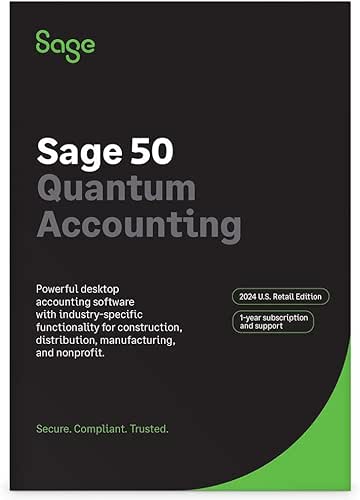
Sage 50 Quantum Accounting is an advanced desktop subscription accounting software with industry-specific functionality for construction, distribution, manufacturing, and nonprofit. Sage has supported small businesses for over 42 years.
If you handle the books yourself, Sage 50 Quantum Accounting 2024 gives you a desktop-first bookkeeping software that leans into heavier workflows. It supports up to three users, so you can keep day-to-day invoicing and bill payments local while others work on job costing, inventory or reports. On a normal day it helps you track project phases, monitor inventory levels and reconcile accounts without bouncing between tools; when you’re prepping for taxes, loans, or a big bid, the customizable reports and audit trails make pulling accurate numbers quicker.
If you want strong job-costing, advanced inventory controls and role-based access on a PC, it’s a solid choice — just expect some setup if you want cloud-style collaboration.
What People Say
You’ll find reviewers commonly praise the job-costing and inventory tools for helping them see which projects actually make money and for keeping stock under control. People also mention that the reporting flexibility and audit trails give them confidence when preparing statements or answering accountant questions.
A recurring note is that initial activation and setting up multi-user or cloud access can take extra time.
Long-Term Savings
Better job costing and tighter inventory controls help you stop bleeding margin on unprofitable work and reduce excess stock. Cleaner records and fewer manual fixes also shave hours off month-end closes and tax prep, which lowers ongoing bookkeeping overhead.
Situational Benefits
| Situation | How It Helps |
|---|---|
| Service Projects | Job costing breaks down labor and materials so you can price future jobs more accurately and protect margins. |
| Distribution & Manufacturing | Inventory management and purchase orders keep parts and products aligned with demand, reducing stockouts and waste. |
| Multiple Companies | Manage separate sets of books from one installation so you don’t juggle different systems for each business. |
| Preparing Financials | Custom reports and audit trails make gathering statements and answering accountant questions smoother and faster. |
Ease Of Use
| Feature | Ease Level |
|---|---|
| Setup & Chart of Accounts | Moderate |
| Multi-User Access | Moderate |
| Invoicing & Billing | Easy |
| Inventory Management | Moderate |
| Job Costing | Advanced |
Integrations
| Software | Integration Quality |
|---|---|
| Microsoft Excel | Good |
| Bank Feeds | Moderate |
| Payroll Services | Limited |
| Third-Party Add-Ons | Varies by vendor |
Security
| Feature | Protection Level |
|---|---|
| Audit Trails | High |
| Role-Based Security | High |
| Local Backup Options | Moderate |
| Sage Business Care Support | Supportive |
Reports & Analytics
Customizable financial reports, budgeting tools and job profitability analysis give you the visibility you need for cash-flow checks, project reviews and compiling statements for accountants or lenders.
Key Benefits
- Full-featured bookkeeping software for invoicing, bill payments and reconciliations
- Advanced job costing by phase and cost type to track project profitability
- Inventory management and purchase orders to keep stock aligned with demand
- Supports multiple companies and up to three simultaneous users for shared workflows
- Role-based security, audit trails and a one-year Sage Business Care support plan
Wrapping Up
Why this matters: picking the right bookkeeping software affects how quickly you close your books, how accurate your reporting is, and how much time you spend on manual fixes. Based on available product options and user feedback, here are the practical takeaways to help you decide.
Look for a solution that balances features, support, and long-term cost. - Strengths: Sage 50 variants (Pro, Premium, Quantum) are powerful desktop packages with strong inventory, budgeting and reporting capabilities when they are running correctly. They can be a good match if you need advanced desktop features and industry-specific modules. - Cautions from user experience: Some users report difficulty with activation or support channels depending on how the product was purchased, longer load or install times on some setups, and challenges when importing data from other desktop accounting systems.
There are also differences in cloud-sharing capabilities and licensing that can affect whether a purchase from a third-party reseller meets your needs. - Practical next steps for you: confirm activation and support policy with the vendor before you buy, test data import using a copy of your file, and weigh whether a desktop subscription or a cloud-native product better suits your remote access and collaboration needs.
If you need multi-user, industry-specific features, compare pricing and confirm total cost for multi-user subscriptions. If you follow those steps, you will be better positioned to choose bookkeeping software that reduces manual work, helps you stay tax-ready, and scales with your business.
Some Questions Answered
How Do I Choose The Right Bookkeeping Software For The New Year?
You start by matching the software to how you run your business: the number of users, whether you track inventory, how complex your budgeting is, and whether you need industry-specific features. Think about desktop vs cloud—desktop solutions can give you robust local control and advanced features like deep inventory and custom reporting, while cloud options make remote access and automatic backups easier.
Check for bank and payment integrations, customizable reports, and the ability to scale as your business grows. Try a demo or trial, confirm that the vendor offers solid support and regular updates, and verify that the software can import your existing data so you don’t recreate your history from scratch.
Above all, choose bookkeeping software that reduces your manual work and helps you produce reliable reports you can act on.
What Should I Know About Migrating Data And Ensuring Accurate Reports?
You should back up everything and test a migration before you commit; perform the move on a copy of your files and compare totals closely. Map your chart of accounts and customer/vendor records so transaction types and opening balances carry over consistently, and pay special attention to inventory and payroll data because those often need manual reconciliation.
After importing, run reconciliations and side-by-side reports for key periods to catch discrepancies early, and keep a log of any manual adjustments you make. If you run into mismatched totals or missing transactions, contact support or an accountant for help—migration tools aren’t perfect and some cleanup is normal.
What Are Common Installation, Activation, And Support Concerns With Desktop Bookkeeping Software?
You’ll want to confirm system requirements and whether the version you buy supports cloud sharing or multi-user access the way you expect. Activation for subscription-based desktop products can require online validation or direct vendor assistance, so be prepared to register with the publisher and keep your subscription credentials handy.
Establish a backup routine and test restores, set up user permissions to protect sensitive data, and schedule regular updates to keep security and compatibility current. If you buy from a reseller, double-check support channels because some sellers don’t provide full vendor support; when installation or activation stalls, contacting the official vendor usually gets the quickest resolution.