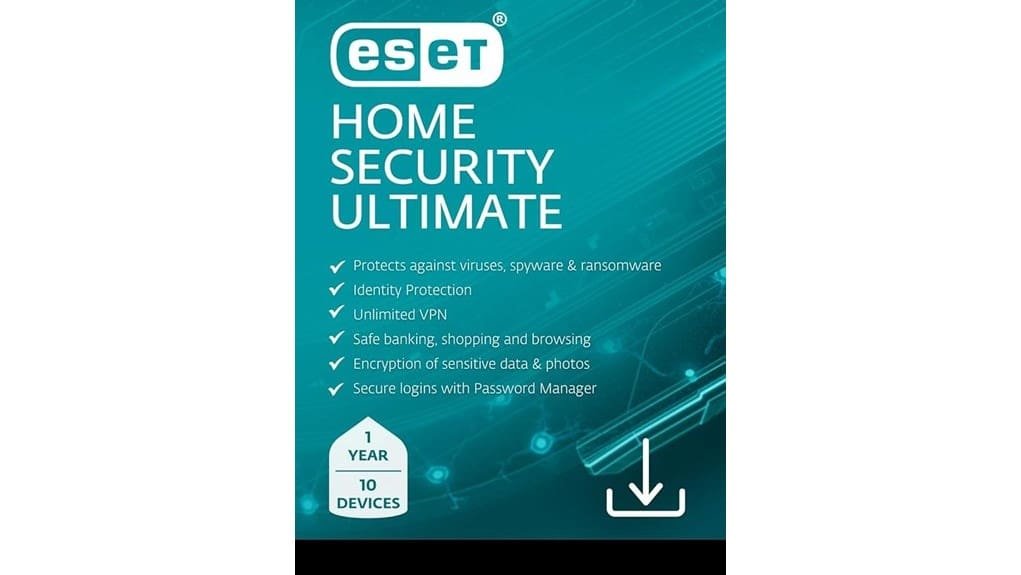
ESET Home Security Ultimate 2025 gives you one plan for up to ten devices—PCs, Macs, and Android—with antivirus, real‑time malware sandboxing, an unlimited no‑logs VPN, identity‑theft monitoring plus recovery insurance, a password manager, and encrypted storage. Set scans to run at night, enable VPN on public Wi‑Fi, and turn on webcam protection; test backups and password autofill once to confirm behavior. It’s a solid all‑in option for families; keep going to see performance and pricing details.
Some Key Takeaways
- Comprehensive bundle: antivirus, unlimited no‑logs VPN, identity‑theft protection, password manager, and encrypted storage for up to 10 devices.
- Strong real‑time malware defense with sandboxing and reliable detection rates in hands‑on tests.
- Identity monitoring includes dark‑web scans, social‑media alerts, and up to $1M recovery insurance.
- Modest system impact if scan schedules and real‑time settings are optimized; measure boot and CPU during tests.
- Best for households wanting one easy plan to secure multiple PCs, Macs, and Android devices for a year.
What ESET Home Security Ultimate 2025 Includes and Who It’s For
If you want broad protection without juggling multiple apps, ESET Home Security Ultimate 2025 bundles everything you need and keeps it simple: install it on up to ten devices across PC, Mac, and Android, then activate the antivirus, unlimited VPN, identity theft protections, and data-management tools with a single license for one year. You’ll get antivirus, password management, encrypted storage, webcam shields, and parental controls that let you set screen time and filter sites. Use home sharing to cover relatives’ devices, assign profiles, and centralize updates. It’s best if you want one plan to manage family security with minimal effort. Our site also offers fingerprint readers and related hardware for securing access to devices and doors.
Top Protection Features: Identity Theft, VPN, and Real‑Time Malware Defense
You’ve already seen how ESET Home Security Ultimate makes family protection simple, and now let’s look at what actually defends you day-to-day: identity monitoring, the VPN, and real‑time malware defense. You get dark‑web scans and social media identity monitoring that warn you when your data appears where it shouldn’t, and identity recovery insurance if things go wrong. The unlimited, no‑logs VPN secures public Wi‑Fi and masks your location, use it whenever you join unfamiliar networks. Real‑time malware defense, backed by threat sandboxing, isolates suspicious files immediately, so you can quarantine or remove threats without risking your system. These tools are a good fit for small users who need straightforward solutions for securely wiping data and protecting devices, including data destruction best practices.
Hands‑On Testing: Performance, Detection Rates, and System Impact
When you run ESET Home Security Ultimate through real-world tests, focus on three things: how well it catches threats, how much it slows your machine, and how the VPN and identity tools behave under load. You should start with full system scans and timed background scans, record detection percentages versus known samples, and note benchmark comparisons to rivals. Measure boot time impact by timing cold starts before and after installation. Check CPU and memory during web browsing and VPN streaming, and simulate identity alerts while stressing the system. If you spot consistent slowdowns, adjust scan schedules and real-time settings to balance speed and safety. Also consider how UPS battery backups for small business owners can keep testing environments stable by providing uninterruptible power during power interruptions.
Privacy, Backup, and Extra Tools: Password Manager, Encryption, Webcam Protection
After measuring scans and watching system load, turn your attention to the suite of privacy and backup tools, because they handle the everyday risks that scans won’t catch. You’ll use the password manager to enforce strong password hygiene: enable autofill, generate unique passwords, and set a long master password you memorize or store in a secure note. For sensitive files, create encrypted backups to local drives or cloud storage, test restores, and rotate backup media monthly. Turn on webcam protection, grant access only to trusted apps, and review alerts promptly. These steps cut exposure and make recovery reliable. Consider using encrypted backups for sensitive USB-stored data to protect files when devices are lost or stolen.
Price, Plans, and When to Choose ESET Home Security Ultimate
If budget and device coverage matter to you, ESET Home Security Ultimate makes a strong case: its 2025 edition covers up to 10 devices for one year and bundles antivirus, unlimited VPN, identity theft protection with $1 million recovery insurance, and extras like password management and encryption into a single digital download for PC, Mac, and Android. Expect straightforward pricing tiers that group features by device count, so pick the plan matching household size. Compare first‑year discounts to renewal costs, because renewals often jump. Choose Ultimate if you want all‑in protection, easy setup, and clear value across multiple devices. Protecting your equipment from power-related issues can extend device lifespan and reduce data loss with power conditioners.
Some Questions Answered
Can I Transfer the License Between Different Users or Households?
Yes, you can move your license, but license portability has limits; transfers between your devices and household members are usually allowed, while giving it permanently to someone outside your household may violate terms. Check your ESET account to deactivate a device, then reactivate on another, or contact support to request a household transfer and document ownership change. Keep receipts and serial numbers handy, so support can process the transfer quickly.
Does ESET Provide Phone-Based Identity Recovery Support?
Yes — you get phone support for identity recovery; you’ll call ESET’s support line and get guided, step‑by‑step account restoration help, including actions to lock accounts, contact banks, and file fraud reports. If you prefer mobile assistance, they can walk you through securing your phone, changing passwords, and enabling two‑factor authentication. Have your identity theft case number and any alerts ready, so they can escalate and coordinate recovery fast.
Is Parental Control Included or Available as an Add‑On?
Yes — ESET includes parental monitoring features, and you can add content filtering where needed. You’ll set age-appropriate rules, block sites or categories, and schedule screen time from the management console, then push settings to devices. For stricter control, enable content filtering plus activity reports and browser restrictions, and test on one device first. If you want more granular controls, pair ESET with a dedicated parental app for social‑media monitoring.
Can I Use the VPN Simultaneously on All 10 Devices?
Yes, you can use the VPN on all 10 covered devices at once, within the product’s simultaneous connections device limits. That means you can secure your PC, phone, tablet and more concurrently without juggling accounts. If you hit the limit, sign out a device or change which devices use the VPN, and consider monitoring active connections in the app. For heavy use, prioritize devices handling sensitive data, like banking and work.
How Are Software Updates and Renewal Pricing Handled?
Yes, updates are automatic and ESET pushes security patches frequently, so you’ll get a steady update cadence that keeps protection current. For subscription management, sign into your ESET account to view devices, renew early, or change plans; you’ll get email renewal reminders and can enable auto‑renew to avoid lapses. If you prefer, turn off auto‑renew and set a calendar alert, then renew manually before expiration to keep your coverage active.