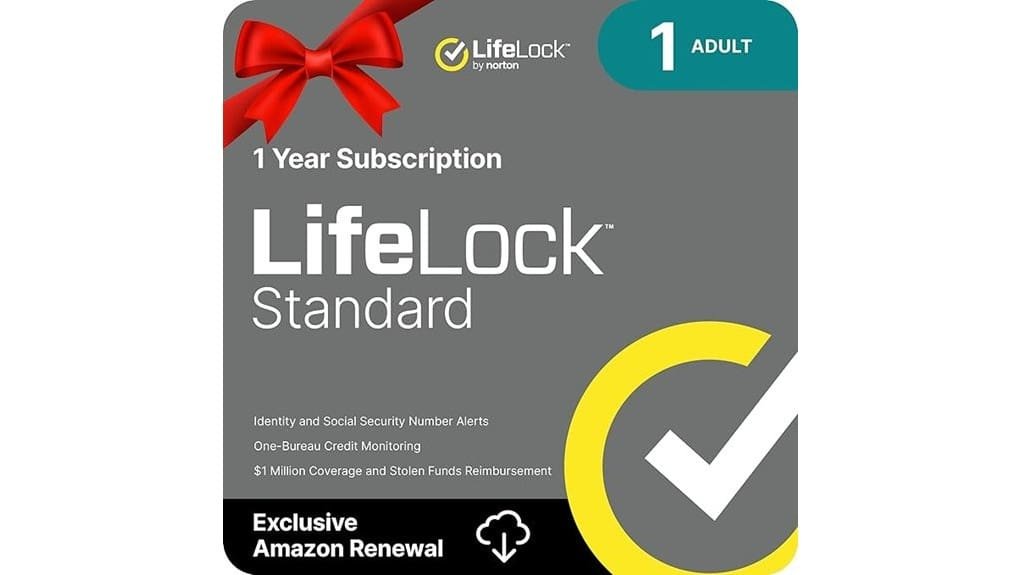
You should consider LifeLock Standard if you want straightforward credit and dark‑web alerts plus a U.S.-based restoration specialist to guide recovery, because it gives practical monitoring and limited reimbursement without premium complexity. It watches for new accounts and loan inquiries, sends real‑time texts and emails, and covers certain theft costs up to set limits, but check the fine print on caps and renewals. If you want specifics on limits, alternatives, and activation tips, keep going.
Some Key Takeaways
- Lifelock Standard offers monthly credit monitoring, real-time alerts, and a U.S.-based restoration specialist for guided recovery if identity theft occurs.
- Coverage includes dark-web monitoring and new credit line alerts but credit report refresh frequency can create detection gaps.
- Financial reimbursement and stolen-funds limits exist (commonly up to $25,000) with specific paperwork and coordination with law enforcement required.
- Privacy tradeoffs include sharing monitoring data and potential upsell pressure; automatic renewals can increase long-term cost.
- Consider alternatives (free fraud alerts, one-time credit freezes) if you rarely use credit or want minimal data sharing.
Is LifeLock Standard Worth It? Quick Verdict and Who Should Consider It
If you want straightforward identity protection without paying for bells and whistles, LifeLock Standard can be worth it, especially if you value hands-on help when something goes wrong. You get core monitoring and a restoration specialist, so if someone uses your name, you won’t be left to untangle paperwork alone. Expect some privacy tradeoffs, since monitoring scans accounts and alerts rely on shared data, and weigh that against subscription alternatives like one‑time credit freezes or free fraud alerts through bureaus. If you prefer guided recovery and steady monitoring, sign up; if you want minimal data sharing, choose those free, manual options instead. For small-business owners and homeowners, consider how these services compare to secure data destruction options when protecting sensitive information.
What LifeLock Standard Covers: Alerts, Credit Access, and Financial Protections
While you’re using LifeLock Standard, expect a focused set of protections that centers on real‑time alerts, basic credit access, and financial reimbursement for some theft-related costs, so you know exactly what to rely on if something happens. You’ll get multiple alert types — text, email, app, and phone — when suspicious activity appears, like new accounts or loan inquiries. Monthly credit monitoring and access to your credit report and score help you spot fraud early. If theft occurs, financial reimbursement covers certain losses and legal help, and a U.S.-based identity restoration specialist guides you through reclaiming accounts. Our site also offers related security products for homes and small businesses, including smart smoke detectors that enhance overall safety.
How LifeLock Standard Performs vs. Common Identity Threats and Competitors
Because LifeLock Standard focuses on alerts, basic credit access, and limited financial reimbursement, you’ll get good early warning for many common threats but not every tool an identity pro would use. You’ll receive alerts if your data shows up on the dark web or a new credit line is opened, which helps against account takeover attempts. You should still lock accounts, enable MFA, and watch phishing signs to limit social engineering risks. Restoration help and reimbursement can matter, but expect to coordinate with law enforcement, provide documentation, and follow specific claim steps to resolve issues effectively. Consider adding security keys to your defenses for stronger account protection.
Real Costs, Limits, and Hidden Caveats to Watch For
You’ll want to look past the headline “$1,050,000 coverage” and check the fine print so you know what’s actually paid, by whom, and under what conditions. Don’t assume all losses are reimbursed; stolen funds and personal expenses each top out at $25K, and legal help has limits. Watch for subscription traps like automatic renewals and teardown offers that push you into higher tiers; cancel within the window and set calendar reminders. Note data limits on monitoring and how often credit reports refresh, since gaps can delay alerts. Ask support for examples of covered claims before you commit. Protect Privacy at Home and Work with screen filters to reduce exposure to shoulder surfing and casual data exposure.
Should You Buy LifeLock Standard? Decision Checklist and Next Steps
If you want straightforward protection without surprises, start by matching LifeLock Standard’s limits and features to your real risks and habits so you know what it will—and won’t—do for you. Check whether $25K stolen funds and $1M legal help match the value of accounts and data you use, and factor that into budget planning so monthly fees don’t crowd essentials. Activate promptly after ordering and keep your emergency checklist handy: contacts, account numbers, and steps to pause cards. If you rarely use credit or already get monitoring, skip it; if you travel, share accounts, or carry balances, buy it. Consider pairing identity protection with secure document shredding at home or the office to reduce the risk of physical data theft.
Some Questions Answered
Does Lifelock Standard Cover Identity Theft for Minors?
Yes — LifeLock Standard can cover identity theft for minors, but you’ll need to set up minor protection and guardian access proactively. You’ll enroll the child under your account, grant guardian access so you can receive alerts and manage recovery, and confirm activation after purchase. If identity theft happens, a U.S.-based restoration specialist will work with you, and the coverage limits apply; keep the child’s documents monitored and report suspicious activity immediately.
Can I Pause or Transfer My Subscription Mid-Term?
You generally can’t pause your subscription mid-term, and transfer options are limited; you’ll need to cancel and re-subscribe if you want changes. Contact LifeLock support via the confirmation email or account page, ask about their pause policy and request a pro rata refund or account transfer if moving to another household. Keep order details ready, note activation dates, and confirm any fees, because customer service handles exceptions case-by-case.
Is Customer Support Available 24/7 for Urgent Identity Issues?
Yes, you can reach support 24/7 availability for urgent identity issues, and LifeLock provides an emergency hotline response for emergencies. Call the hotline immediately, give your Restoration Specialist your account details, and note the time and agent’s name. If you get voicemail, follow the prompt to escalate, and use the app to send secure messages or alerts. Keep copies of all communications, receipts, and police reports for faster resolution.
Does Lifelock Standard Work Outside the United States?
No, LifeLock Standard gives limited protection outside the United States, and it doesn’t offer full international coverage. You’ll still get alerts for U.S.-based fraud and access to the U.S. restoration specialist, but foreign credit monitoring and stolen-funds reimbursement may not apply. If you travel or live abroad, contact LifeLock to confirm specifics, consider upgrading or adding international identity services, and keep scanned copies of passports and bank contacts for quicker recovery.
Are There Discounts for Bundling With Other Norton Products?
Yes — you can get bundle savings when you add LifeLock to Norton security plans, and you should check for promotional codes before checkout. Visit Norton’s site, compare bundled prices versus standalone plans, then apply any promo code at cart to lower the first-year rate. If you don’t see a code, search reputable coupon sites or call customer service to ask about current bundle offers, they’ll often match promotions.