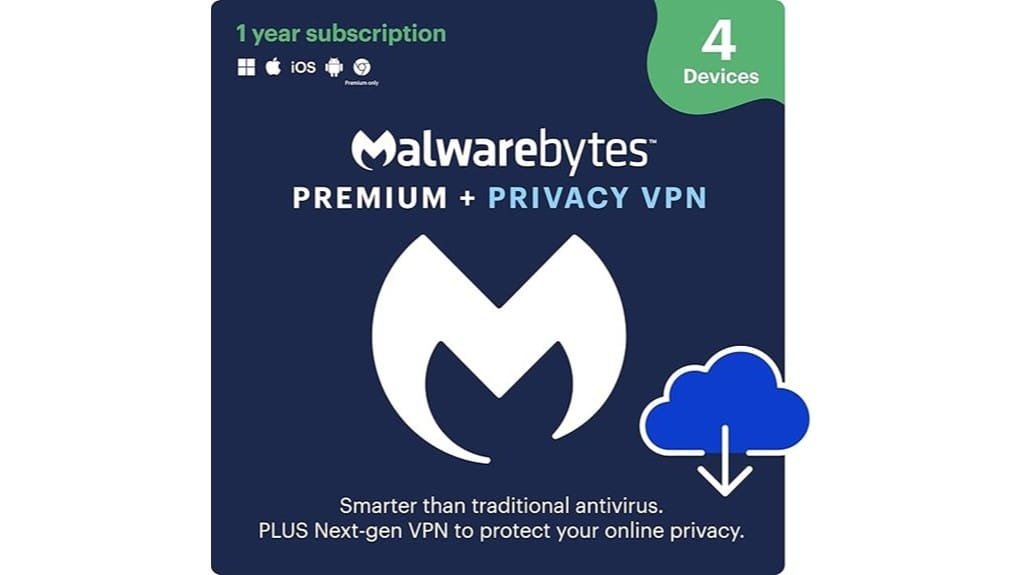
You get solid, low‑maintenance protection for up to four devices that’s easy to manage: real‑time malware blocking, browser guard that stops malicious pages and tech‑support scams, ad and tracker blocking for faster, cleaner browsing, plus a no‑logs VPN that auto‑connects on unknown Wi‑Fi. It’s great for remote work, homeowners, and small businesses who want straightforward security; watch for first‑time coupons and renewal discounts to cut costs, and keep going to see detailed pros and cons.
Some Key Takeaways
- Malwarebytes Premium provides 24/7 real‑time malware protection, browser guard, ad blocking, and tracker prevention across major desktop and mobile platforms.
- The Privacy VPN uses a no‑log policy, strong Wi‑Fi encryption, auto‑connect on unknown networks, and selectable server locations.
- The bundle is simple to manage, supports up to four devices, and suits business users, remote workers, homeowners, and small businesses.
- Performance is lightweight: quiet background scans on desktop, low battery impact on mobile, and scheduling or pause options for deep scans.
- Pricing is straightforward for one year/four devices; watch for renewal discounts, first‑time coupons, and compare competitor value.
Verdict and Who Should Buy Malwarebytes Premium + Privacy VPN
If you want solid, no-nonsense protection without wrestling with complicated settings, Malwarebytes Premium + Privacy VPN is a smart pick: it gives you real‑time malware defense across Windows, Mac, iOS, Android and Chromebook while adding a no‑log VPN for safer browsing on public Wi‑Fi. You’ll get continuous threat blocking and a simple VPN that’s easy to toggle, so business users and remote workers can stay productive without fiddling with tech. Install on up to four devices, enable browser guard, and turn on the VPN when you join cafés or airports. It’s practical, fast, and low‑maintenance. It’s also well suited for homeowners and small businesses looking for UPS-friendly protection that’s easy to manage.
What Malwarebytes Premium Protects Against (Real‑Time Malware, Browser Threats, and Ad/Tracker Blocking)
You’ve seen why the bundle makes sense for busy users; now let’s look at what Malwarebytes actually stops for you in real time. You get 24/7 real time detection that watches files, apps, and downloads, so threats are blocked before they run. Browser hardening via Browser Guard shields Chrome, Edge, Firefox, and Safari from malicious pages and tech‑support scams, and it flags dubious links. Ad blocking removes invasive ads that slow pages, while tracker prevention stops third‑party trackers that follow you across sites. Turn these on, keep the extensions updated, and run occasional full scans for extra assurance. The bundle also complements home and small-business setups by protecting devices alongside surge protectors to reduce damage from power-related incidents.
How Malwarebytes Privacy VPN Handles Privacy, Logs, and Secure Wi‑Fi
Think of the VPN as a privacy shield you switch on before you join public Wi‑Fi or handle anything sensitive online. You get a no log policy, so Malwarebytes says it doesn’t record sites you visit, IPs, or traffic content, which limits data trails if servers are queried. Turn the VPN on automatically when you connect to unknown networks, and verify the connection icon before entering passwords or banking info. The app uses strong Wi‑Fi encryption to protect data on hotspots, and you can pick nearby servers for better speed or specific countries for location needs. Check settings for auto‑connect. Consider pairing the VPN with security keys for added account protection and easier secure login.
Performance, Usability, and Platform Support Across Windows, Mac, iOS, Android, Chromebook
On each platform Malwarebytes aims to keep things simple, so you’ll spend more time browsing and less time tweaking settings: on Windows the scanner runs quietly in the background with minimal CPU spikes during full scans, and you can schedule deep scans or pause protection from the system tray when you need maximum performance for gaming or heavy workloads. On Mac and Chromebook the interface is uncluttered, updates are frequent so threats stay current, and you’ll notice low battery impact on laptops. Mobile apps for iOS and Android are lightweight, auto-update regularly, and let you run quick scans or toggle VPN with one tap. The bundle is a convenient choice for small business owners and homeowners looking for added privacy and blue light protection alongside security features.
Price, Licensing (1 Year / 4 Devices) and Whether the Bundle Is Worth It Compared to Alternatives
Having seen how Malwarebytes runs quietly across your devices, it’s worth looking at what you’ll pay and whether the one‑year, four‑device bundle fits your needs. You’ll get straightforward pricing, though you should check pricing transparency on the checkout page for taxes and regional variances. The multi device license covers Windows, Mac, iOS, and Android, which is handy for a small household. Look for renewal discounts and coupon availability before buying; subscribe during promos or use first‑time coupons to cut costs. Compare to competitors offering similar protection plus VPNs for cheaper, but weigh support and simplicity. Consider also practical physical security measures like secure tip jars when protecting a small business.
Some Questions Answered
Can I Use the VPN and Antivirus on Different Devices Simultaneously?
Yes — you can split usage and run the VPN and antivirus on different devices simultaneously, as long as you stay inside your device limits (1 Year, 4 Devices). Install Malwarebytes Premium on some machines and the Privacy VPN on others, or mix them per device. For example, protect two laptops with antivirus and two phones with VPN. Watch your active device count in the account portal, and adjust installs when you hit the limit.
Does Malwarebytes Offer Parental Controls With This Bundle?
No, Malwarebytes’ bundle doesn’t include built‑in parental monitoring or content filters, so you won’t get age-based web blocking or activity reports. You can still use the VPN and browser guard to block trackers and malicious sites, but for parental monitoring and content filters you should install a dedicated parental-control app (like Microsoft Family Safety or Qustodio) on kids’ devices, configure age filters, and set screen time and reporting there.
Is There a Trial or Money-Back Guarantee Period?
Yes, you get a free trial and a clear refund policy. You can try Malwarebytes Premium + Privacy VPN for a short free trial, then decide within the stated refund window if it’s right for you. If you’re unsatisfied, request a refund through their support or account portal, keep your purchase info handy, and ask within the refund period. Contact support promptly, follow their steps, and expect a confirmation email.
How Does Customer Support Work for Combined Issues?
You contact support channels via the Malwarebytes help site, chat, email, or phone, and describe both Premium and VPN issues together so they see the full picture. If frontline staff can’t resolve it, they follow an escalation process to hand your case to technical specialists, who may ask logs and remote-access permission. Keep order details and screenshots ready, and ask for a ticket number and expected response time so you can follow up.
Are There Discounts for Renewing Multiple Years or More Devices?
Yes, you can often save with multi year options and tiered pricing based on device count, though offers vary by region. Check Malwarebytes’ checkout for loyalty discounts and promo codes, compare 1‑, 2‑ and 3‑year bundles, and increase device count to see per‑device drops. If you’re renewing, sign into your account, review renewal offers, and contact support to confirm stacked discounts or enterprise deals before paying.