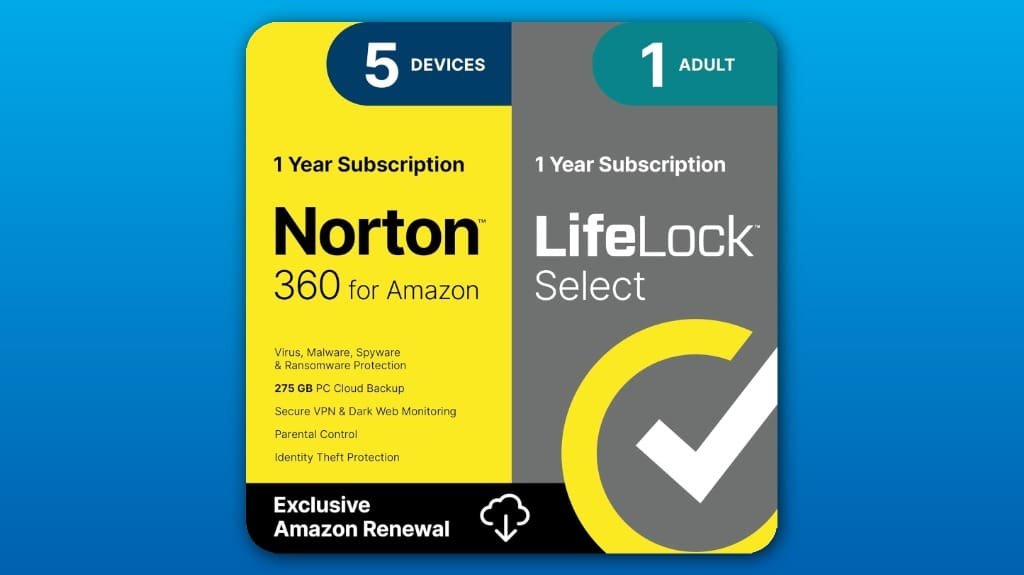
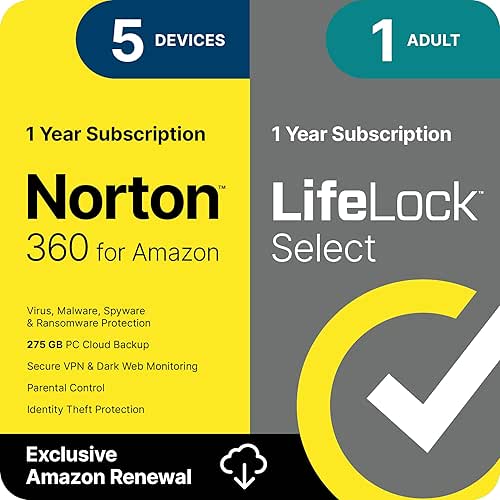
You get antivirus for up to five devices, a VPN, 275 GB cloud backup, and LifeLock identity monitoring with up to $1M coverage, so you can protect devices and credit without juggling services. Scans run quietly in the background, the VPN is fine for nearby streaming but may slow long hops, and backups work well if you schedule nightly uploads. Alerts, credit reports, and a restoration specialist help after theft. Keep definitions current to stay protected, and read on for details.
Some Key Takeaways
- Comprehensive bundle protects up to five devices with antivirus, VPN, cloud backup, and LifeLock identity monitoring.
- Malware scans run in background with low CPU impact; keep definitions updated for best protection.
- Secure VPN included; performs well on nearby servers but may add latency on long-distance connections.
- LifeLock Select provides credit monitoring, alerts, a U.S. restoration specialist, and up to $1M coverage for identity recovery.
- Good value for households/small businesses seeking consolidated protection, but watch promo pricing and renewal rates.
What Norton 360 With LifeLock Select Includes (Features and Limits)
While you don’t have to be a tech expert to use it, Norton 360 with LifeLock Select packs several specific protections you should know about so you can decide how to deploy it across your devices. You get protection for up to five devices, malware defense, a Secure VPN, and 275GB of PC cloud storage for backups, so pick which files to sync and which to exclude. LifeLock adds identity insurance-style coverage with restoration help and up to $1M for legal support plus reimbursements. Check monthly credit reports, enable alerts, and assign one device as your primary backup target. Our team also recommends pairing digital protections with physical security measures like security keys to strengthen overall account safety.
Malware Protection, VPN, and Backup: Performance and Real-World Behavior
You’ve seen what’s included, so now let’s look at how Norton 360 with LifeLock Select actually performs day to day for malware protection, VPN use, and backups. You’ll get fast, reliable malware detection that scans in the background and quarantines threats without hogging CPU, so you can work while it runs. The Secure VPN keeps browsing private with modest real world latency on nearby servers, though long-distance links may slow streaming. Backup reliability is strong: use the 275GB cloud backup, schedule nightly uploads, and test restores monthly to make sure files recover correctly. Keep definitions updated for best results. Consider adding dedicated surge protection for your backup hardware and network equipment to help prevent data loss from power surges and outages with surge protectors.
Identity and Credit Protection: Monitoring, Alerts, and Restoration Explained
If someone tries to open credit in your name or drain your bank account, Norton LifeLock will alert you fast so you can act before the damage spreads. You’ll get identity monitoring that watches your credit accounts, public records, and risky transactions, and sends credit alerts by text, email, phone, or app so you can verify activity immediately. Check monthly credit reports and scores, flag unfamiliar inquiries, and freeze credit if you see fraud. If theft occurs, contact your dedicated U.S. restoration specialist right away, follow their step‑by‑step plan, and use the reimbursement coverage for lost funds.
Pricing, Plans, and How This Bundle Compares to Alternatives
When you compare Norton 360 with LifeLock Select to other security bundles, look first at what you’re actually getting for the price—coverage for up to five devices, antivirus and a Secure VPN, 275 GB of cloud backup, plus LifeLock’s identity monitoring and up to $1 million in restoration/legal help—because that mix can replace several separate subscriptions and simplify billing. You’ll see different subscription tiers, often introductory rates that jump at renewal pricing, so check the first-year vs. ongoing cost. If you want clear savings, annual billing usually lowers the effective monthly rate, and watch for promo expirations before you commit. Many homeowners find that bundling security and identity protection simplifies management and can reduce overall costs compared with separate services, especially for small businesses.
Who Should Buy It : Use Cases, Device Limits, and Final Recommendation
Think of this bundle as a practical all-in-one option when you want to protect both devices and your identity without juggling multiple subscriptions; it’s a good fit if you have up to five devices—mix of PCs, Macs, phones, or tablets—and need strong antivirus, a secure VPN, and identity monitoring all in one place. You’ll like it if you need multi user coverage for a small household, or if you want simpler family plans instead of separate services. It’s helpful for senior security, giving restoration help and alerts, and for student accounts needing VPN and malware defense. Recommended for busy households. Smart home owners may also appreciate integrated protection that works alongside connected devices in small business or residential setups.
Some Questions Answered
Does Lifelock Select Include Family Identity Monitoring for Children?
Yes — LifeLock Select includes child monitoring options, and it sends identity alerts if your child’s information shows up in risky places. You’ll add kids to your account, provide their details, and the system watches for new credit inquiries, tax filings, or public records tied to their Social Security numbers. If alerts trigger, you’ll get notified and a U.S.-based restoration specialist will help you resolve fraud quickly and directly.
Can I Use Secure VPN for Torrenting or P2P Traffic?
Yes, you can use the Secure VPN for torrenting or P2P traffic, but check local VPN legality first and follow laws. Expect bandwidth limits or throttling from some providers, so test speeds before large downloads. Use a P2P-friendly server, enable kill switch, and avoid seeding copyrighted files to stay legal. If you need heavy, long-term torrenting, consider a no-logs, high-bandwidth VPN that explicitly permits P2P.
Is Technical Support Available 24/7 for All Subscription Issues?
Yes — you get 24/7 availability for core technical support, and you can reach agents any time by phone, chat, or the app. Support includes multilingual support for major languages, so ask for help in yours when you call. If you need billing, device setup, or VPN troubleshooting, be ready with your account email and device details, and request escalation to a senior agent if the issue isn’t resolved promptly.
Can I Transfer My Subscription to a New Owner or Device Later?
Yes, you can transfer some subscription elements, but transferability options are limited: you can move the software license to a new device by uninstalling and reinstalling, and you can assign device portability across your allocated slots, while LifeLock identity benefits generally stay with the original subscriber. Contact support to dissociate a device or change subscriber details, keep account credentials ready, and document the transfer steps, so the new owner or device gets protection quickly and cleanly.
Are There Discounts for Multi-Year or Student Subscriptions?
You can sometimes get student discounts or multi year_promotions, but they aren’t guaranteed. Check Norton’s promotions page and student benefit sites, like UNiDAYS or your school portal, for a verified student discounts code. For multi year_promotions, look for annual checkout offers that let you lock a lower renewal rate for 2–3 years, or contact support to ask about bundling. Save confirmation emails and screenshots to prove eligibility.