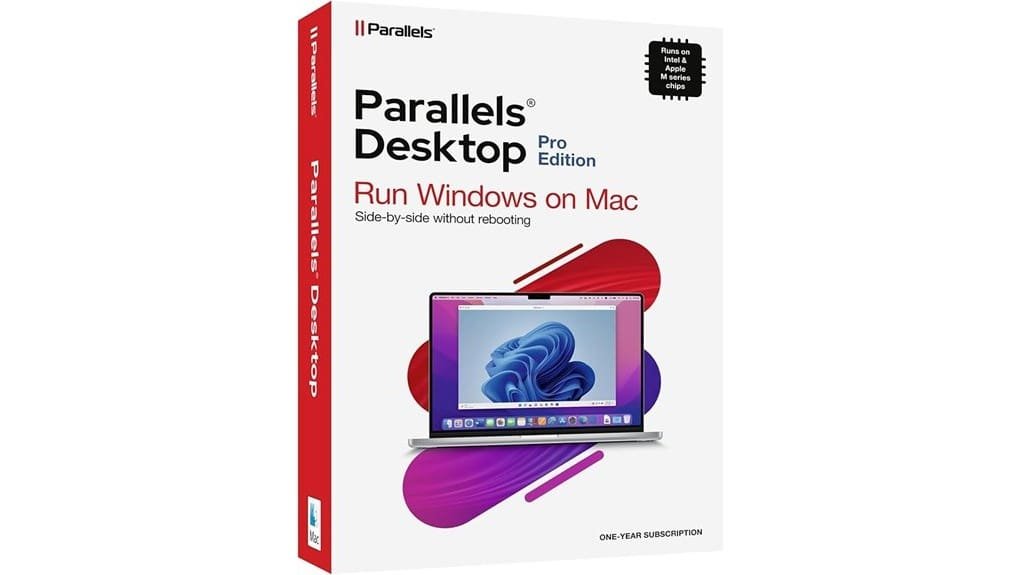
You’ll get a developer-focused virtualization suite that runs Windows 11 (Apple silicon authorized), Linux, and AI VMs side-by-side with macOS, with fast boot, tight resource management, and native graphics acceleration. Pro adds templates, linked/full clones, unlimited snapshots, a CLI for scripted CI/CD workflows, Parallels Toolbox, and an AI VM for model testing. Performance is predictable on Apple silicon and strong on Intel with higher sustained-load costs. Keep going to see detailed workflows, limits, and buying advice.
Some Key Takeaways
- Parallels Desktop 26 Pro is a one-year subscription providing a full-featured virtualization suite tailored to developers and power users.
- It runs Windows 11 on Apple silicon and Intel Macs with fast boot, efficient CPU/memory use, and low latency.
- Advanced features include templates, linked/full clones, unlimited snapshots, and an AI VM for reproducible testing.
- Developer tooling: Parallels Toolbox, CLI scripting, container integration, and IDE support for automated CI/CD workflows.
- Higher-priced than consumer tiers but valuable when automation, cloning, and AI VM accelerate development and testing.
What Parallels Desktop 26 Pro Edition Actually Includes and Who It’s For
Although it’s sold as a one-year subscription with a Mac Key Card, Parallels Desktop 26 Pro Edition gives you a full-featured virtualization suite: run Windows 11 (authorized for Apple silicon) and other OSes side-by-side with macOS, access more than 200,000 Windows apps and games, and use advanced tools like VM templates, clones, snapshots, command-line integration, and dynamic resource allocation for performance. You’ll get developer-focused tooling, Parallels Toolbox, an AI VM, and broad hardware compatibility. This feature breakdown maps to target users: developers, power users, QA engineers, and creators who need isolated environments, automation, rapid cloning, and predictable, configurable virtual infrastructure.
Real-World Performance: macOS on Apple Silicon and Intel – Speed, Graphics, and Resource Use
When you run macOS guests on Parallels Desktop 26 — whether on Apple silicon or Intel hardware — you’ll see fast, predictable boot and app-start times with efficient CPU and memory use, thanks to dynamic resource allocation and tight kernel integration. You’ll notice low boot latency and consistent app responsiveness under mixed workloads; Parallels schedules vCPUs to minimize contention and leverages native graphics paths for accelerated rendering. On Apple silicon, thermal throttling is rare due to efficient SoC performance; on Intel machines, sustained heavy loads can trigger throttling and higher battery impact. Overall, resource telemetry keeps performance efficient for pro workflows. Many small businesses and homeowners find that choosing the right network switch can improve overall LAN performance by reducing congestion and optimizing device connections, particularly when paired with managed switches.
Windows, Linux, and VM Workflows: Compatibility, Installation, and Developer Tools
Beyond macOS guests, Parallels Desktop 26 makes running Windows and Linux VMs straightforward and performant: you’ll create, clone, snapshot, and script VMs from the GUI or command line, allocate CPU/memory dynamically, and use prebuilt templates to get Windows 11 or popular Linux distributions up in minutes. You’ll install developer toolchains, run Visual Studio Code or Visual Studio, and test across OSes with minimal friction. Parallels is authorized for Windows 11 on Apple silicon, supports container integration for Docker workflows, and enables cross OS debugging between macOS hosts and guests. Setup is predictable, automated, and optimized for iterative development. It also integrates well with small business network storage workflows, making it easy to access NAS-hosted assets from guest VMs.
Pro and Power-User Features That Matter: Snapshots, Templates, CLI, and AI VM
If you need reliable control over complex VM workflows, Parallels Pro adds the power tools to make that predictable and repeatable: templates and linked/full clones get new environments provisioned in seconds, snapshots let you revert or branch states instantly, and the command-line interface lets you script creation, configuration, and teardown as part of CI/CD pipelines. You’ll use snapshot management to checkpoint testbeds, create branching experiments, and enforce rollback policies. Templates standardize OS and toolchains; linked clones minimize storage. Command automation integrates with build servers and developer scripts. The pre-packaged AI VM accelerates model testing, inference prototyping, and reproducible research. These features make Parallels Pro a strong choice for small business owners and professionals who need dependable virtual machine management.
Value Assessment and Buying Advice: Pricing, License Limits, Alternatives, and Final Recommendation
Although the Pro Edition carries a higher annual cost than the standard consumer license, you’ll get features and limits tailored for developers and power users—unlimited snapshot/clone workflows within practical storage limits, command-line automation, and the AI VM—making it cost-effective for teams or individuals who need repeatable, scripted environments. Evaluate subscription tiers: Pro is a one-year subscription with Mac Key Card delivery and developer-focused limits; check the refund policy and license transfer rules before purchasing. If you need occasional Windows apps, choose the standard tier or free alternatives; buy Pro when automation, templates, and AI VM accelerate your workflow. Consider pairing a Pro subscription with an optimized docking station setup to maximize workspace efficiency.
Some Questions Answered
Does Parallels Desktop 26 Support Windows 10 ARM Virtual Machines?
Yes — you can run Windows 10 ARM virtual machines on Parallels Desktop 26. You’ll get Windows ARM64 support with Parallels’ virtualization and emulation performance optimizations, letting ARM-native apps run efficiently and x86/x64 apps operate via Windows ARM emulation. You’ll manage resource allocation, snapshots, and VM templates for development and testing. If you need maximal performance for emulated apps, favor Apple silicon Macs with ample RAM and CPU resources.
Can I Run eGPU Passthrough With Parallels on Intel Macs?
No — you can’t do full eGPU passthrough with Parallels on Intel Macs. Parallels doesn’t expose external GPUs directly to guest VMs due to passthrough limitations, hardware compatibility and macOS driver support constraints. You can use host-rendered GPU acceleration and shared graphics, but true PCIe eGPU passthrough requiring dedicated driver access isn’t supported. Plan for host-side performance tuning and verify driver support for your workflow.
Is Boot Camp Compatible Alongside Parallels Installations?
Yes — you can keep Boot Camp alongside Parallels, but you’ll manage dual booting implications carefully. You’ll need partitioning strategies that allocate separate Windows installations: one Boot Camp partition and distinct virtual disk images for Parallels. Make certain disk space, backups, and unique Windows activations to avoid conflicts. Parallels can use the Boot Camp partition as a VM, but doing so adds complexity; use snapshots and clear resource planning for reliable, high-performance workflows.
How Does Parallels Handle Licensing for Multiple Users on One Mac?
You manage licensing per user activation: each user needs their own subscription/activation tied to a Parallels account, not a single shared entitlement for multiple people. You can use shared entitlement for devices in limited scenarios (team or enterprise pools) if your purchase explicitly allows it, but consumer Pro subscriptions require individual activation. You’ll administer users and keys centrally for teams, assign entitlements, and enforce access via Parallels account and license server tools.
Are Firmware or SMC Updates Inside VMS Supported or Emulated?
No — you won’t get full firmware emulation or SMC virtualization inside Parallels VMs; Parallels provides virtualized hardware interfaces and firmware stubs sufficient for OS boot and device initialization, but it doesn’t emulate host firmware or expose the Mac SMC to guests. You’ll rely on Parallels’ virtual firmware layer for BIOS/UEFI functionality and device services. For low-level firmware testing or SMC-dependent tooling, use bare-metal or dedicated hardware.