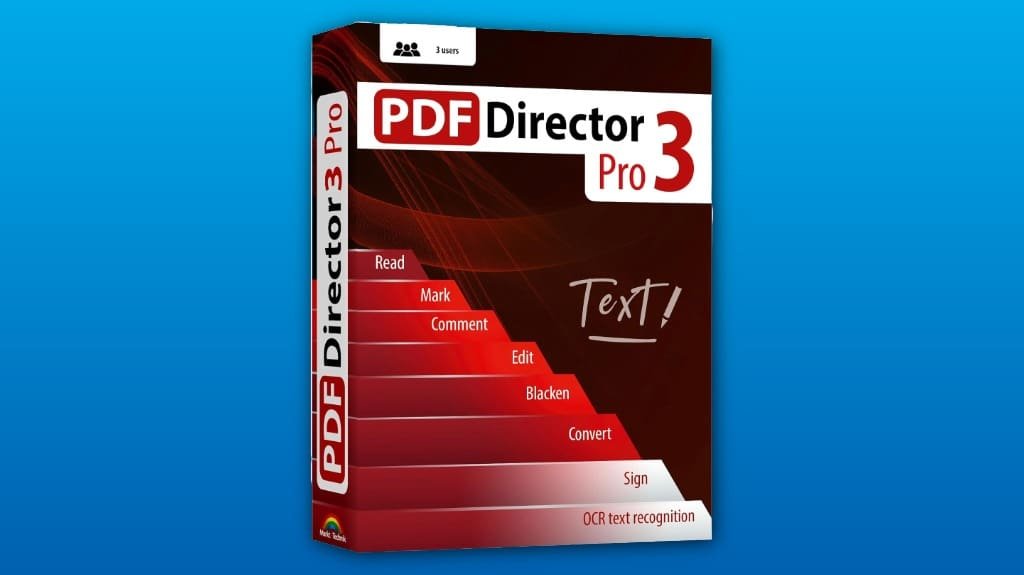
PDF Director 3 PRO is a powerful PDF tool that streamlines document management with robust features. You'll appreciate its intuitive interface, making it easy to create, edit, and convert PDFs. The editing capabilities allow for significant text modifications and image adjustments, while conversion options guarantee high accuracy. Document management tools simplify merging and splitting files, enhancing organization. This user-friendly software is compatible with multiple Windows versions, providing smooth performance. There's much more to explore about its capabilities.
Some Key Points
- PDF Director 3 PRO offers robust features for seamless PDF creation, merging, and protection, making it a powerful tool for document management.
- The intuitive user interface simplifies navigation, catering to both novices and experienced users for an efficient experience.
- Impressive editing capabilities allow for precise text modifications, image adjustments, and content restructuring to meet specific needs.
- High conversion accuracy to Word and Excel formats, along with OCR technology, enhances versatility and simplifies document manipulation.
- Document management tools, such as easy merging and splitting, improve organization and streamline workflows for large volumes of information.
Key Features of PDF Director 3 PRO
When it comes to PDF management, PDF Director 3 PRO stands out with its robust features designed for seamless document handling. Its intuitive user interface makes navigation straightforward, enabling you to quickly access tools for creating, merging, and protecting your PDFs. The security features are particularly significant, allowing you to encrypt files and set permissions, ensuring your sensitive information remains safe. You can easily split or combine documents, enhancing organization and efficiency. With compatibility across multiple Windows versions, PDF Director 3 PRO caters to various users, providing an all-in-one solution for anyone needing effective PDF management.
Editing Capabilities
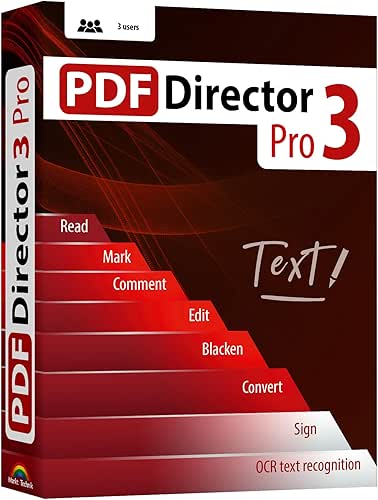
PDF Director 3 PRO offers impressive editing capabilities that set it apart from many other PDF management tools. You can easily perform text modification, allowing you to edit, highlight, and restructure content directly within your documents. This feature enhances your workflow by eliminating the need for third-party applications. Additionally, image editing is straightforward; you can insert, resize, or replace images seamlessly. The intuitive interface simplifies these processes, making it accessible whether you're a novice or an expert. With these robust editing tools, you gain greater control over your PDFs, ensuring they meet your specific needs and preferences.
Conversion Options
While many PDF tools offer basic conversion features, PDF Director 3 PRO stands out with its robust capabilities for transforming PDFs into Word and Excel formats. You'll appreciate the high conversion accuracy, which guarantees your documents retain their original formatting and layout. This tool supports a variety of file types, making it versatile for different needs. Additionally, its OCR technology allows for the seamless conversion of scanned documents, further enhancing its format support. Whether you're working on reports or spreadsheets, PDF Director 3 PRO simplifies the process, guaranteeing you can easily manipulate and edit your files as needed.
Document Management Tools
Managing your PDF documents effectively becomes effortless with PDF Director 3 PRO's suite of document management tools. You can easily merge documents, allowing you to combine multiple files into a single, cohesive PDF. This feature enhances file organization, making it simpler to manage large volumes of information. Additionally, the software lets you split PDFs, giving you control over the content you want to keep or discard. Bookmarking tools further streamline navigation, enabling quick access to important sections. With these capabilities, you'll find managing your PDF documents not only efficient but also intuitive, helping you stay organized in your workflow.
User Experience and Compatibility
When you launch PDF Director 3 PRO, you're greeted with a user-friendly interface that simplifies navigation and enhances your editing experience. The layout is intuitive, allowing you to quickly access essential features without confusion. As for compatibility, PDF Director 3 PRO meets system requirements for Windows 11, 10, 8.1, and 7, making it accessible to a wide range of users. Its performance is smooth across different systems, ensuring you can edit, convert, and manage PDFs seamlessly. Overall, the combination of an effective user interface and broad compatibility makes your experience efficient and enjoyable.
Some Questions Answered
Is There a Free Trial Available for PDF Director 3 PRO?
No, there isn't a free trial available for PDF Director 3 PRO. However, you can explore its robust software features, like editing, converting, and protecting PDFs, through its full version. With a license that covers three PCs, you’ll have ample opportunity to utilize its capabilities without a time limit. If you’re considering a purchase, it might be helpful to look for user reviews or comparisons to see if it fits your needs.
What Payment Methods Are Accepted for Purchasing the Software?
You can purchase the software using various credit card options, ensuring a smooth transaction process. Look for major cards like Visa, MasterCard, and American Express. Payment security is prioritized, so you can rest easy knowing your financial information is protected during the transaction. Always check the website for additional payment methods or promotions. It’s advisable to confirm that you're on a secure connection before entering any payment details.
Can I Install PDF Director 3 PRO on a Mac?
You can’t install PDF Director 3 PRO directly on a Mac, as it’s designed for Windows operating systems. If you want to access its PDF features, consider using a virtual machine or Boot Camp to run Windows on your Mac. This way, you can fully utilize its editing, converting, and document management capabilities. Keep in mind that these methods require additional setup and resources on your Mac.
Is Technical Support Included With the Software Purchase?
Yes, technical support is included with your software purchase. When you buy the software, you gain access to customer service, ensuring you get the software assistance you need. Whether you're facing installation issues or need help with specific features, the support team is there to guide you. This level of service enhances your overall experience, making it easier to navigate any challenges you might encounter while using the software.
How Often Is PDF Director 3 PRO Updated?
PDF Director 3 PRO updates regularly to enhance performance and security. You'll find that the update frequency typically aligns with user feedback and software improvements, ensuring you benefit from the latest features and fixes. It's important to keep your software updated, as these updates can greatly enhance functionality and user experience. By staying current, you can take full advantage of the powerful tools and capabilities that the software offers.